
Brand guidelines
September 2026
Release 2026.10.26-2, effective 8 October 2026. Current. Internal: not yet distributed beyond TeraRecon marketing. Guidelines p.1.
This guide is the brand's source of truth.
This guide is the source of truth for the TeraRecon brand. Where a deck, a file, a template or a note disagrees with it, the guide wins and the other place gets fixed.
It carries the whole of the agency's guidelines (Bread n Butter, R1 V4, September 2026) page by page, in their words, and the rules decided since. Every rule says how strong it is and where it comes from.
Need a file? Go to Files. Need a quick answer? Essentials covers most jobs.
Just need a Teams background, banner or template? The brand kit has only those.
Essentials
The brand on one screen.
Logo

Charcoal on White, Bone, Cyan and Aqua. White on Cobalt, Deep Cobalt, the Cobalt Gradient and Charcoal. One flat color, no effects, full lockup. Which logo on each color
Color
#004AFF2935 C#221ECD293 C#00C2FF2995 C#404040425 C#F5F5F225% 2330 C#FFFFFFpaper#00CFD93115 C#9A5EFF2101 C#D47AD9238 CClick any value to copy it.
Blues lead. Aqua, Violet and Orchid mark products, as gradients from Cobalt; a product slide or card can sit on its category gradient, never on a flat category color. Full palette
Type
- Headlines
- Public Sans Extra Light, tracking −20 (−0.02 em), leading ≈ size, sentence case: capitalize the first word and proper names, nothing else
- Body
- Public Sans Regular, tracking −10 (−0.01 em), leading ≈ 150%
- PowerPoint
- The Public Sans template, fonts embedded and spacing built in. For new text, copy a placeholder rather than starting a text box.
Cobalt Gradient
Radial, #004AFF → #3800AB. Crop the darkest corner out.
Particle flow
One flat pill color on one ground. Fade with a ground-colored layer. Never White pills. Agency files only. More
Tagline
See it through
Always inside its oval.
Spot inks: Cobalt 2935 C, Deep Cobalt 293 C, Cyan 2995 C. Expect them duller than the screen. Print rules
How rules are markedMust, Should, May, Seen; sources; who decides
- Must Required. Do this; changing it needs the brand owner's decision (Steven Brown).
- Should Recommended. Do this unless there's a reason not to.
- May Optional. Allowed, or worth testing; not standard.
- Seen Observed practice. What the agency's examples do; not a decided rule. Follow it when in doubt.
| Shown as | Meaning |
|---|---|
| p.N | the page of the agency's guidelines |
| Decided (date) | a decision made since the guidelines; Steven decides brand rules |
| Measured (date) | a fact checked against a source file; the evidence is in the brand folder's visual ledger |
Steven Brown decides brand rules. Steven Brown Design maintains this page and its build. Brand contact: Steven Brown, brand guide owner, sbrown@concertai.com. Based on Bread n Butter, TeraRecon Brand Guidelines 2026, R1 V4, September 2026, all of it, plus the decisions since.
Files
Ready-made art for Teams, LinkedIn and email, the PowerPoint templates, the font and the color swatches.
Just need a Teams background, banner or template? The brand kit has only those.
Logos
Vector SVGs, for screen and print, from the agency's final artwork with the colors named correctly. Which one goes where: which logo on each color. Printers who need PDF or EPS: ask Steven Brown.












Set up a Teams background
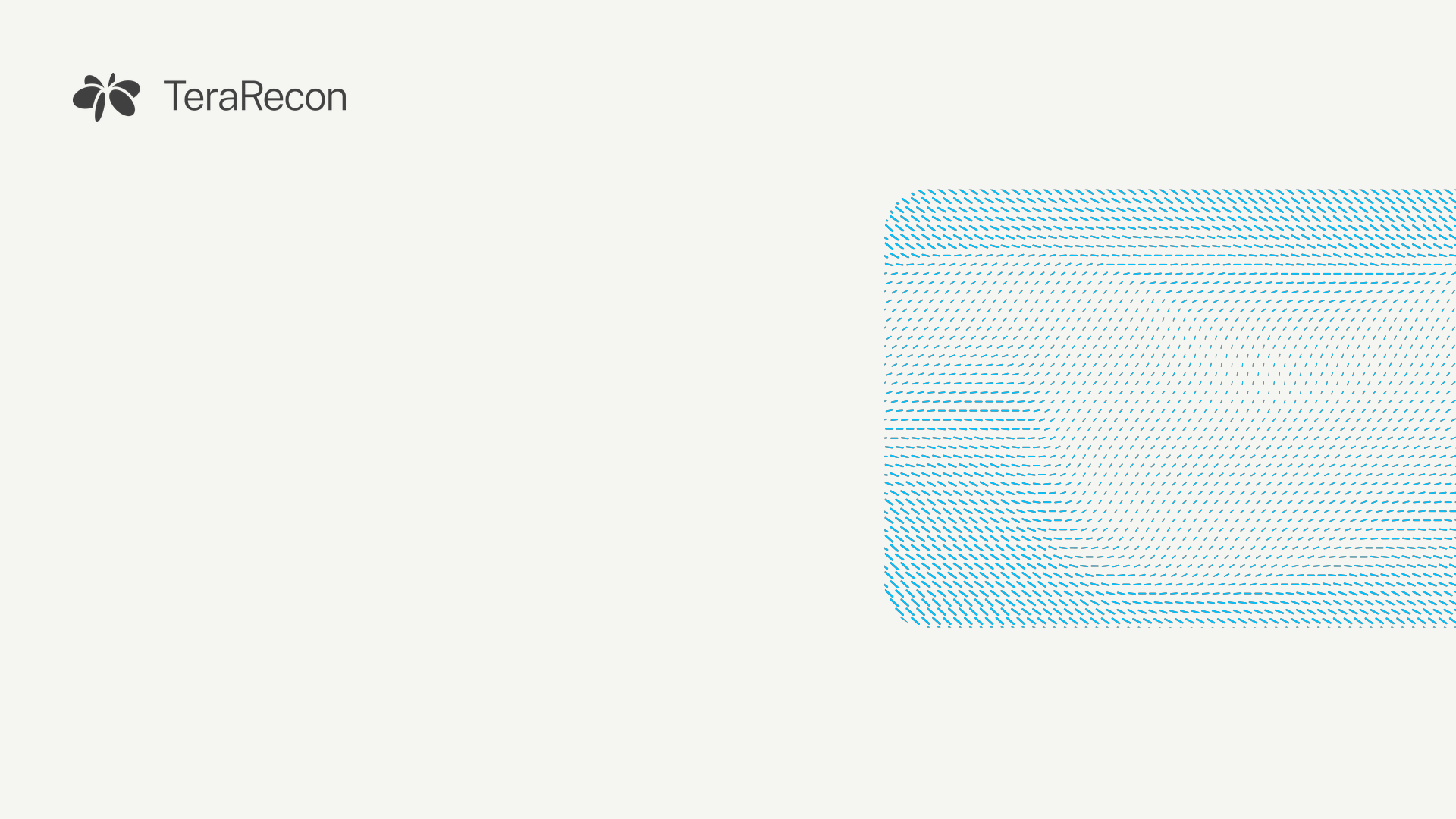
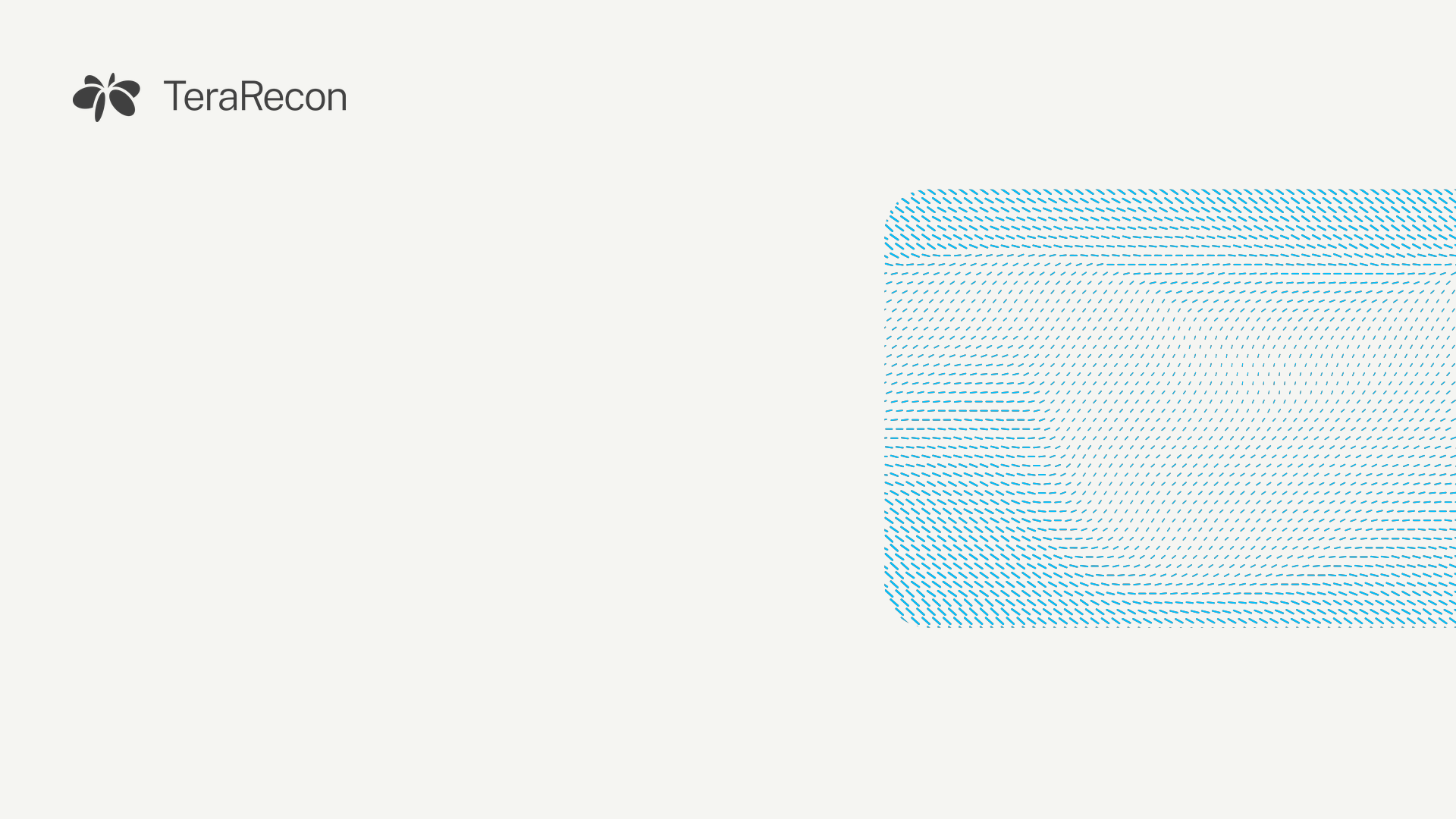
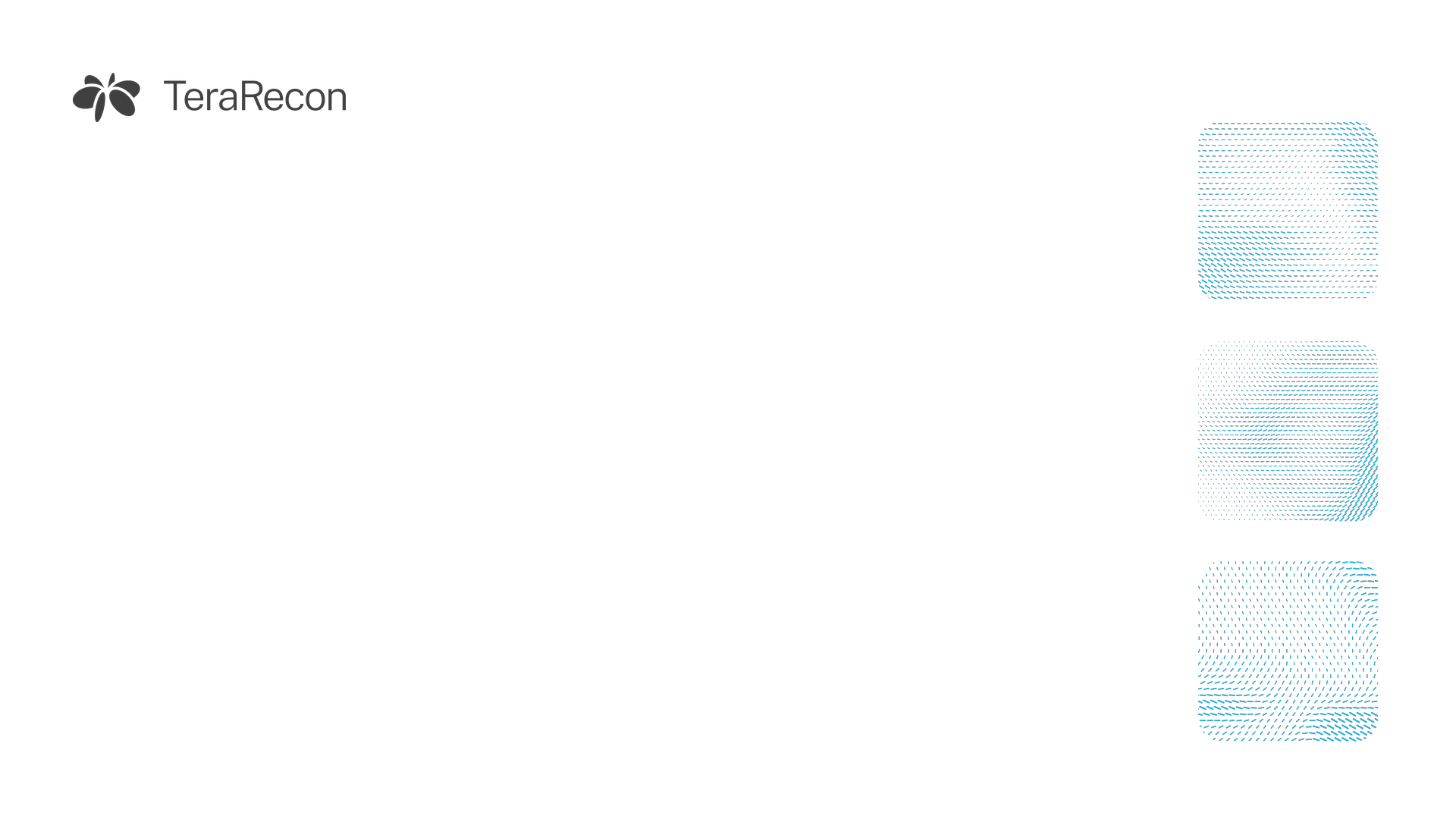
1920 × 1080. The art sits at the sides and the logo top left, so your face stays clear and the logo isn't hidden behind your name label. Your self-view in Teams is mirrored, so the logo looks backwards to you and only to you.
- Before or during a meeting, open Effects and avatars (or More › Video effects).
- Choose More video effects › + Add new and pick the downloaded file.
- Select it. Your own preview looks mirrored. This is normal: everyone else in the meeting sees the logo the right way round.


Set up a LinkedIn banner
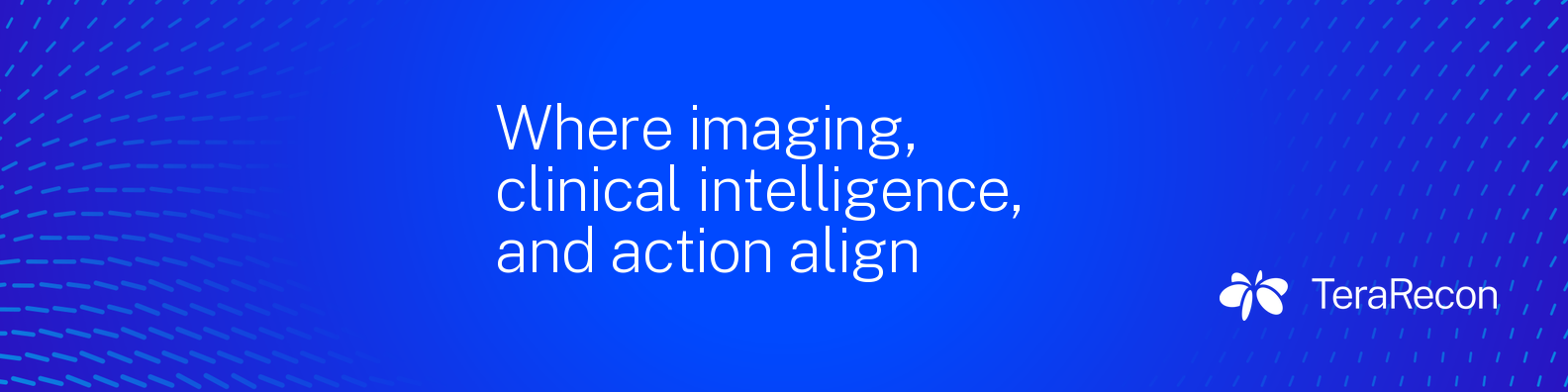
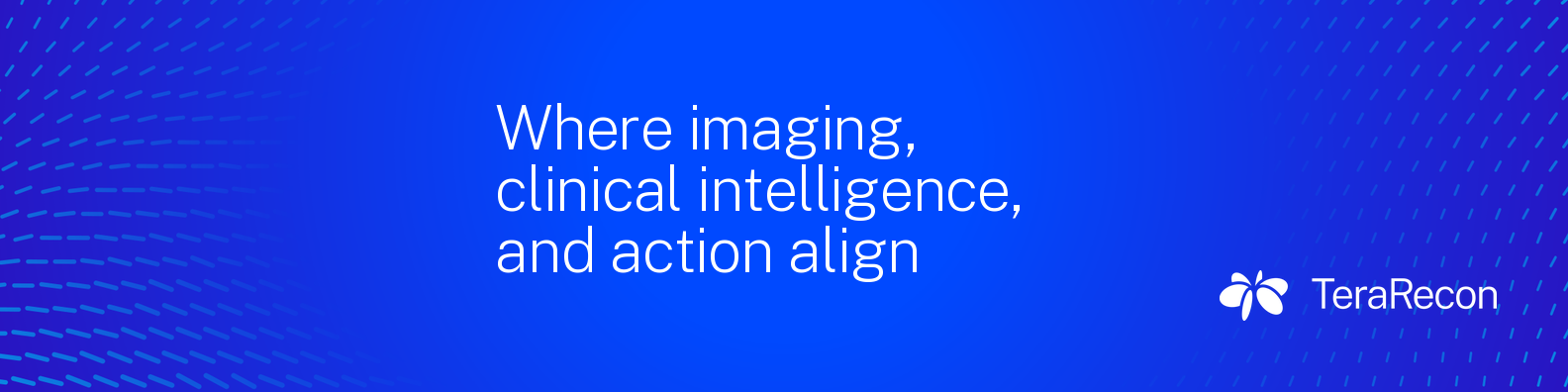
1584 × 396, LinkedIn's size for a personal profile background. Your profile photo covers the lower left (the gray circle; hover over a banner to hide it), so the copy starts to the right of it. This is the profile banner; there is no template for post images yet.
- On your profile, select the camera icon on the background image.
- Choose Upload photo, pick the file, and leave the zoom at the default.




Add an email-signature banner
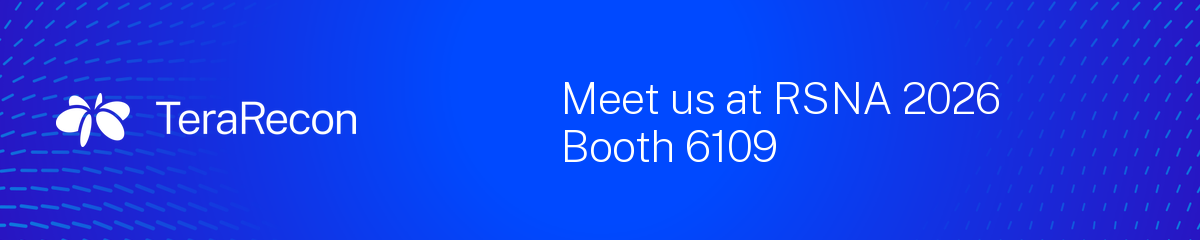
Made at 1200 × 240 and shown at 600 × 120, so they stay sharp on high-resolution screens.
- In Outlook, open Settings › Accounts › Signatures (on desktop, File › Options › Mail › Signatures).
- Put the cursor under your details and insert the picture.
- Set its width to 600 px and link it to terarecon.com.
- Send yourself a test before you use it.




PowerPoint, fonts and swatches
Use the Public Sans template for every deck.
- Download PowerPoint template and double-click it. PowerPoint opens a new, untitled deck from it.
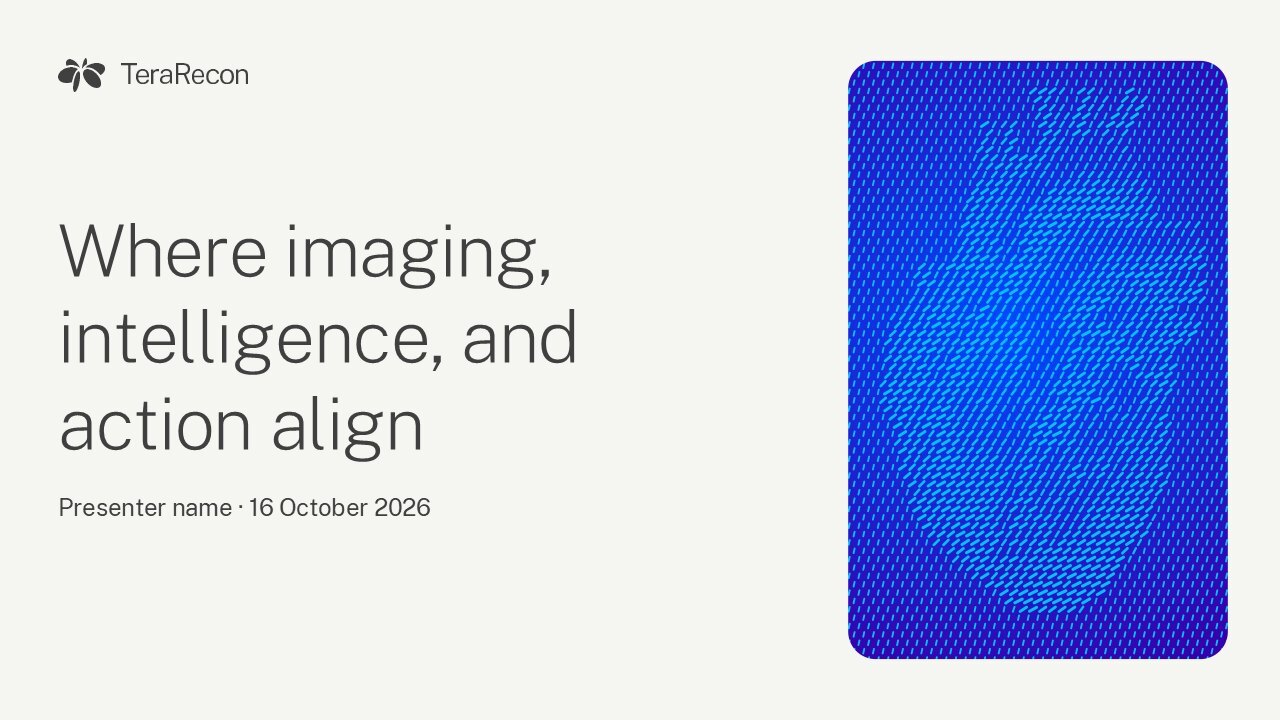
- Choose layouts from Home › New Slide; the cover, section, content and closing layouts carry the brand art.
- When you save, keep File › Options › Save › Embed fonts in the file on, so Public Sans travels with the deck.
Every filerole, format, size, version and use
Production files are ready to use; preview files are for screens only; pointers are locations in the brand folder. Checksums are in release-manifest.json.
| File | Role | Format | Size | Version | Use |
|---|---|---|---|---|---|
| Teams background, light 1: Bone, flow | Production | PNG 1920 × 1080 px |
282 KB | v1, 7 Oct 2026 | Teams video background |
| Teams background, light 2: White, tiles | Production | PNG 1920 × 1080 px |
168 KB | v1, 7 Oct 2026 | Teams video background |
| Teams background, light 3: Bone, heart | Production | PNG 1920 × 1080 px |
279 KB | v1, 7 Oct 2026 | Teams video background |
| Teams background, dark 1: Cobalt flow | Production | PNG 1920 × 1080 px |
688 KB | v1, 7 Oct 2026 | Teams video background |
| Teams background, dark 2: gradient, card | Production | PNG 1920 × 1080 px |
315 KB | v1, 7 Oct 2026 | Teams video background |
| Teams background, dark 3: Charcoal, spine | Production | PNG 1920 × 1080 px |
494 KB | v1, 7 Oct 2026 | Teams video background |
| LinkedIn banner 1: Cobalt flow | Production | PNG 1584 × 396 px |
179 KB | v1, 7 Oct 2026 | LinkedIn profile background |
| LinkedIn banner 2: Bone flow | Production | PNG 1584 × 396 px |
195 KB | v1, 7 Oct 2026 | LinkedIn profile background |
| LinkedIn banner 3: gradient, anatomy | Production | PNG 1584 × 396 px |
309 KB | v1, 7 Oct 2026 | LinkedIn profile background |
| Email-signature banner 1: gradient, tagline | Production | PNG 1200 × 240 px |
41 KB | v1, 7 Oct 2026 | Email signature, shown at 600 px wide |
| Email-signature banner 2: Bone flow | Production | PNG 1200 × 240 px |
191 KB | v1, 7 Oct 2026 | Email signature, shown at 600 px wide |
| Email-signature banner 3: RSNA 2026, booth 6109 | Production | PNG 1200 × 240 px |
102 KB | v1, 7 Oct 2026 | Email signature, shown at 600 px wide Use until the end of RSNA 2026; then stop using it. |
| File | Role | Format | Size | Version | Use |
|---|---|---|---|---|---|
| TeraRecon 2026 PowerPoint template | Production | POTX | 11.8 MB | v2, 8 Oct 2026 | New decks: double-click to start one. Public Sans is embedded. |
| Public Sans, static TTFs with the SIL Open Font License | Production | ZIP | 594 KB | Public Sans 2.x static, as filed 8 Oct 2026 | Unzip first. Windows: select all the .ttf files, right-click, Install. Mac: open them and choose Install Font. Headlines use Extra Light, never Thin. Also on Google Fonts. SIL Open Font License 1.1 (OFL.txt inside); free to install and share. |
| File | Role | Format | Size | Version | Use |
|---|---|---|---|---|---|
| Swatches for screen work, RGB (.ase) | Production | ASE | 1 KB | v2, 23 Sep 2026 | Illustrator, InDesign, Photoshop: screen documents |
| Swatches for process print, CMYK (.ase) | Production | ASE | 1 KB | v2, 23 Sep 2026 | Print jobs without spot inks |
| Swatches for spot print, PANTONE (.ase) | Production | ASE | 1 KB | v2, 23 Sep 2026 | Spot-ink print; Bone is a 25% tint of 2330 C |
| Color and type tokens as CSS custom properties | Production | CSS | 2 KB | 7 Oct 2026 | Web themes: copy into the theme |
| File | Role | Format | Size | Version | Use |
|---|---|---|---|---|---|
| Lockup, Charcoal, SVG | Production | SVG | 6 KB | agency final, 23 Sep 2026; fill named correctly | Light grounds, and Cyan and Aqua: the default. |
| Lockup, White, SVG | Production | SVG | 6 KB | agency final, 23 Sep 2026; fill named correctly | Cobalt, Deep Cobalt, the Cobalt Gradient, Charcoal and dark photos. |
| Lockup, Cobalt, SVG | Production | SVG | 6 KB | agency final, 23 Sep 2026; fill named correctly | One-color jobs on a light material, where Cobalt is the only ink. |
| Lockup, Bone, SVG | Production | SVG | 6 KB | agency final, 23 Sep 2026; fill named correctly | Dark grounds where the other light elements are Bone. |
| Orbit mark, Charcoal, SVG | Production | SVG | 1 KB | agency final, 23 Sep 2026; fill named correctly | Light grounds, and Cyan and Aqua: the default. |
| Orbit mark, White, SVG | Production | SVG | 1 KB | agency final, 23 Sep 2026; fill named correctly | Cobalt, Deep Cobalt, the Cobalt Gradient, Charcoal and dark photos. |
| Orbit mark, Cobalt, SVG | Production | SVG | 1 KB | agency final, 23 Sep 2026; fill named correctly | One-color jobs on a light material, where Cobalt is the only ink. |
| Orbit mark, Bone, SVG | Production | SVG | 1 KB | agency final, 23 Sep 2026; fill named correctly | Dark grounds where the other light elements are Bone. |
| Wordmark, Charcoal, SVG | Production | SVG | 5 KB | agency final, 23 Sep 2026; fill named correctly | Light grounds, and Cyan and Aqua: the default. |
| Wordmark, White, SVG | Production | SVG | 5 KB | agency final, 23 Sep 2026; fill named correctly | Cobalt, Deep Cobalt, the Cobalt Gradient, Charcoal and dark photos. |
| Wordmark, Cobalt, SVG | Production | SVG | 5 KB | agency final, 23 Sep 2026; fill named correctly | One-color jobs on a light material, where Cobalt is the only ink. |
| Wordmark, Bone, SVG | Production | SVG | 5 KB | agency final, 23 Sep 2026; fill named correctly | Dark grounds where the other light elements are Bone. |
| Lockup, Charcoal, 800 px PNG | Preview | PNG 800 × 145 px |
36 KB | 7 Oct 2026 | On-screen preview, light grounds. For print and large use, take the SVG logos above. |
| Lockup, White, 800 px PNG | Preview | PNG 800 × 145 px |
24 KB | 7 Oct 2026 | On-screen preview, Cobalt and dark grounds. For print and large use, take the SVG logos above. |
| Logo vectors (AI, SVG, PNG): Lockup, Orbit Mark, Wordmark in Charcoal, Cobalt, Bone, White In the TeraRecon brand folder, not downloadable here; ask Steven Brown for access: brand\terarecon-2026\source\2026-09-23-final-deliverables\Logo\, or the CC library "TeraRecon 2026 - Brand" |
Pointer | — | — | agency final, 23 Sep 2026 | Production logos. The agency's White and Bone files are swapped; the CC library's symbols are named correctly. |


| File | Role | Format | Size | Version | Use |
|---|---|---|---|---|---|
| Swatches: one .ase each for RGB, CMYK and PANTONE In the TeraRecon brand folder, not downloadable here; ask Steven Brown for access: brand\terarecon-2026\colour\ |
Pointer | — | — | v2, 23 Sep 2026 | Illustrator, InDesign, Photoshop |
| Color and type tokens: tokens.json, tokens.css In the TeraRecon brand folder, not downloadable here; ask Steven Brown for access: brand\terarecon-2026\ |
Pointer | — | — | 7 Oct 2026 | Code and web themes. The values on this page are built from tokens.json. |
| Creative Cloud libraries "TeraRecon 2026 - Brand" and "- Graphics" In the TeraRecon brand folder, not downloadable here; ask Steven Brown for access: brand\terarecon-2026\libraries\ |
Pointer | — | — | v1, 24 Sep 2026 | Swatches, gradients, type styles, logo and graphic symbols in one panel |
| The agency's particle-flow and rendering files In the TeraRecon brand folder, not downloadable here; ask Steven Brown for access: brand\terarecon-2026\source\2026-09-23-final-deliverables\Graphics\ |
Pointer | — | — | agency final, 23 Sep 2026 | Pre-approved particle flow (p.15-17) and the four renderings (p.19) |
| The agency's guidelines as delivered (R1 V4 PDF) and the redline of their errors In the TeraRecon brand folder, not downloadable here; ask Steven Brown for access: brand\terarecon-2026\source\2026-09-23-final-deliverables\Brand_Guidelines\ and brand\terarecon-2026\review\ |
Pointer | — | — | R1 V4, 23 Sep 2026 | Reference; this page carries all of their content |
| deck-forge brand "terarecon" In the TeraRecon brand folder, not downloadable here; ask Steven Brown for access: C:\GitHub\deck-forge\brands\terarecon\ |
Pointer | — | — | 8 Oct 2026 | Generated decks; its notes point here |
The agency's guidelines
A look ahead
The agency's guidelines (Bread n Butter, R1 V4, September 2026), complete. Their words are quoted as written; decisions made since sit under each chapter. Guidelines p.2.
- 01Visual identity
- Overview
- Logo
- Color palette
- Gradients
- Typography
- Graphic language
- Renderings
- Photography direction
- 02Brand examples
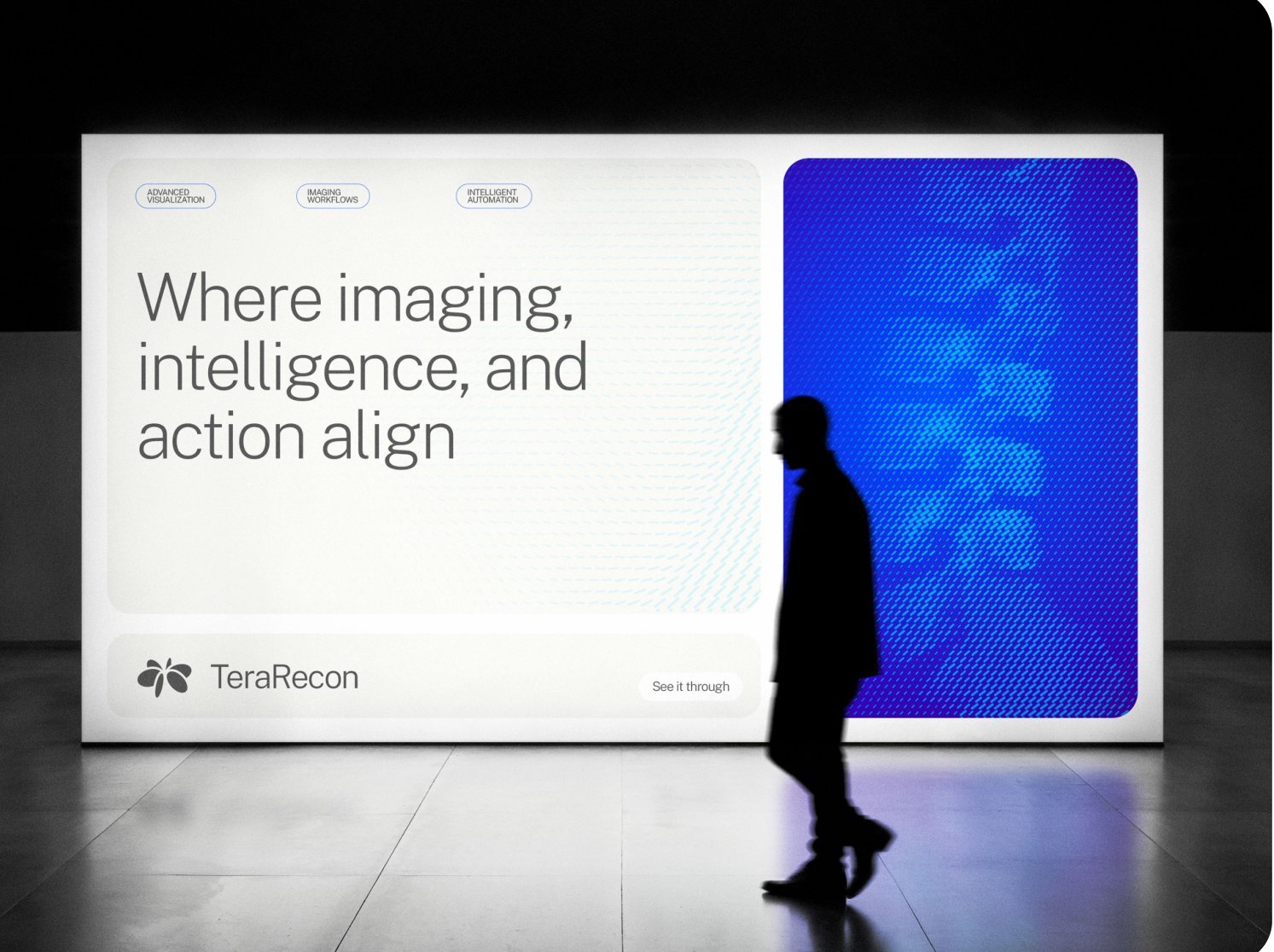
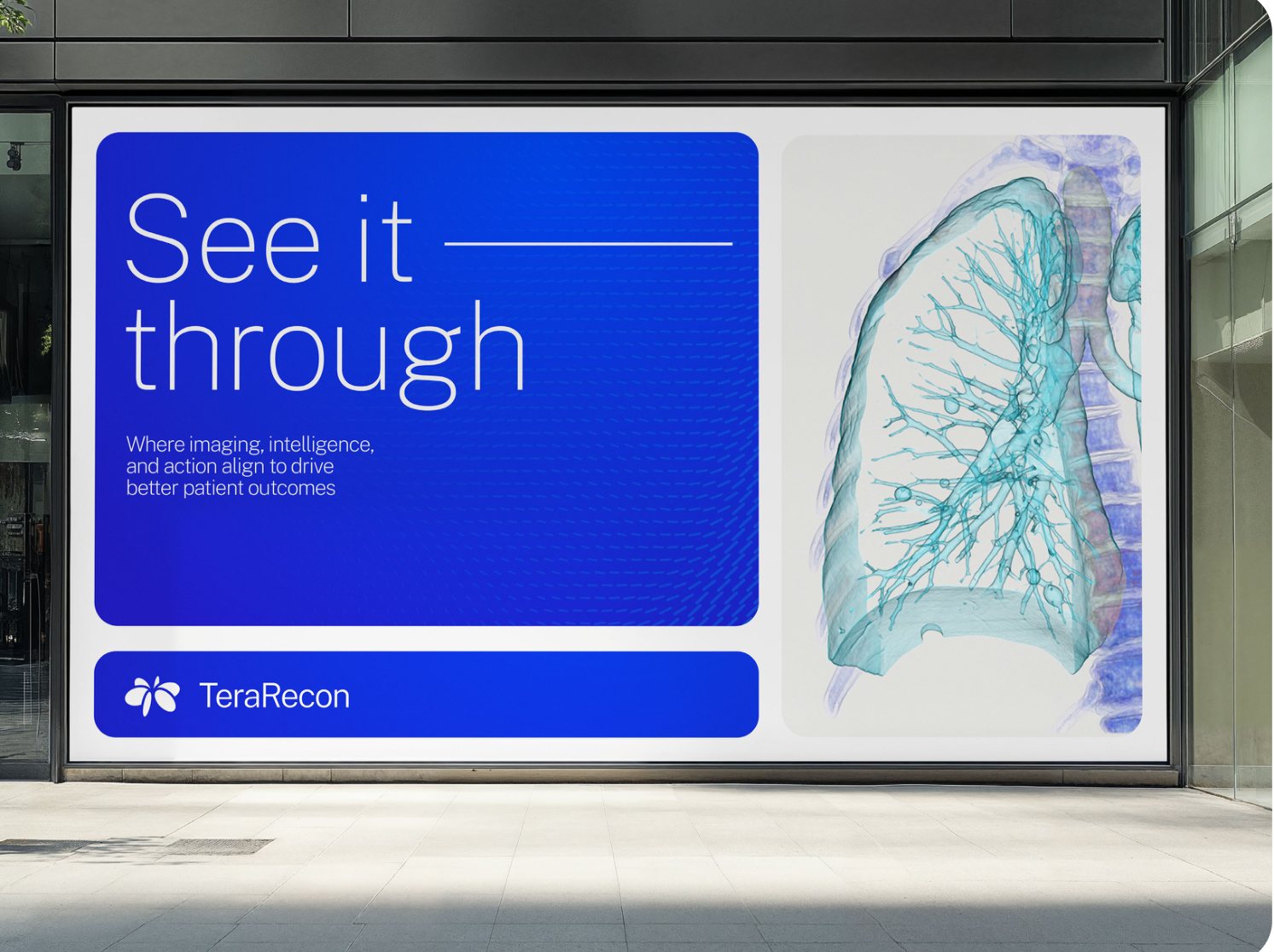
- Display
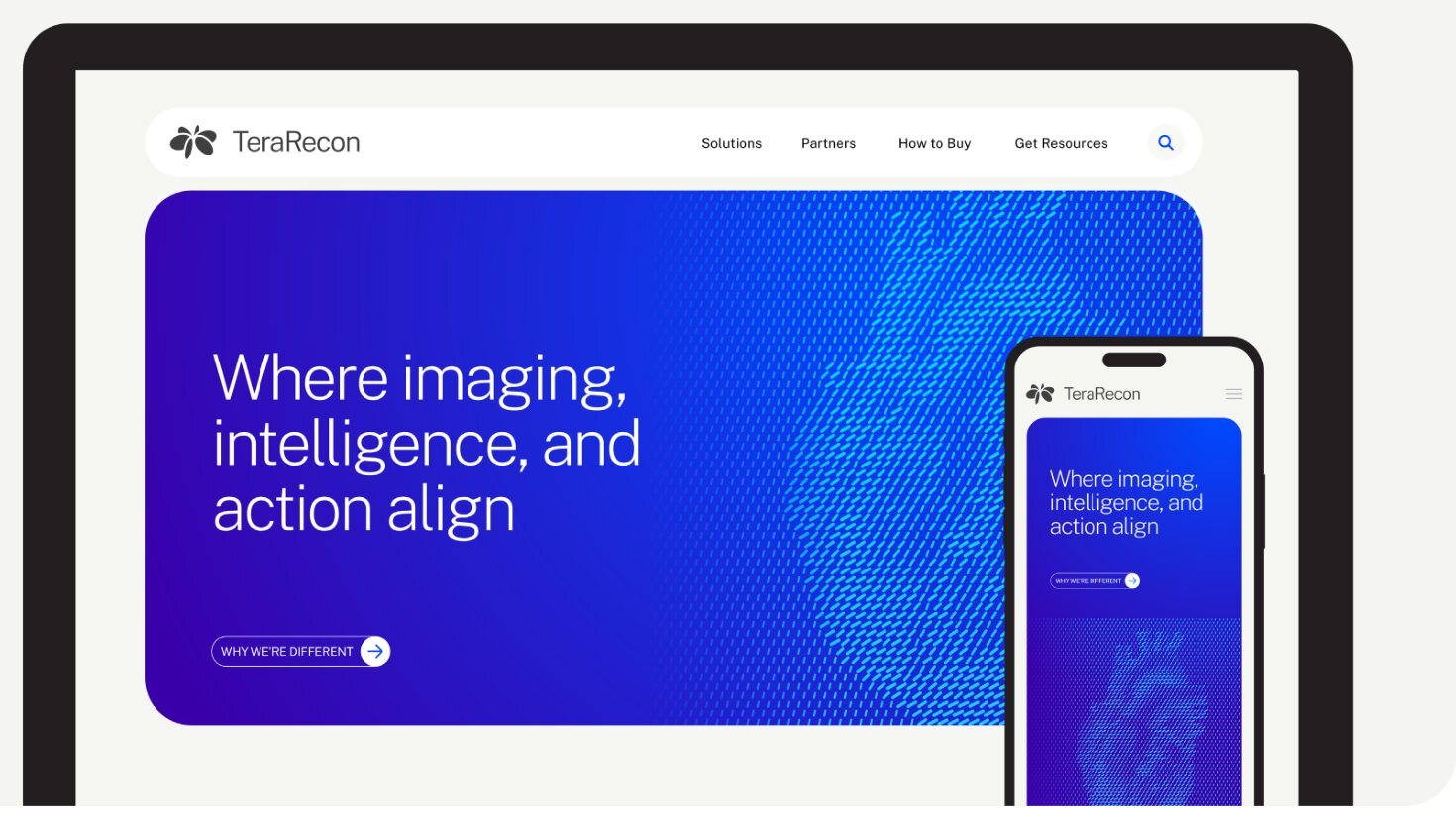
- Website
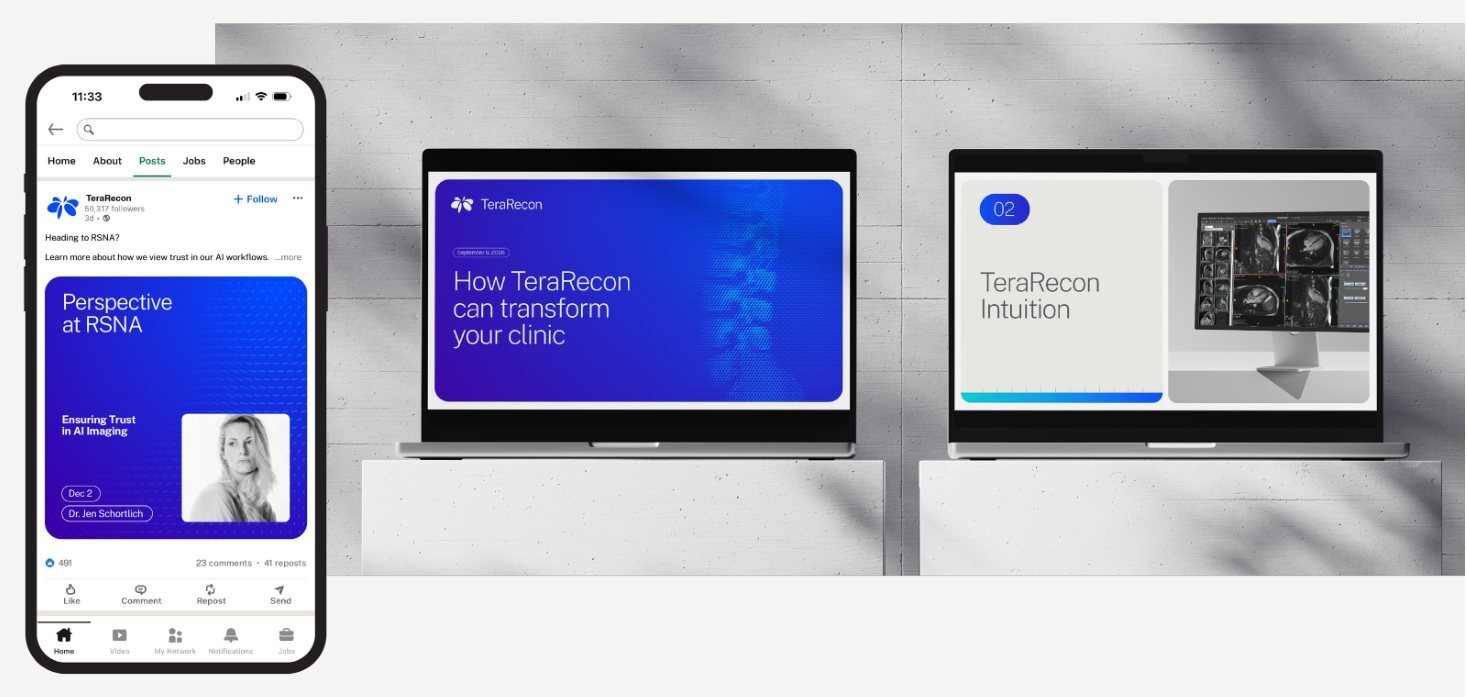
- Social & presentation
- PowerPoint
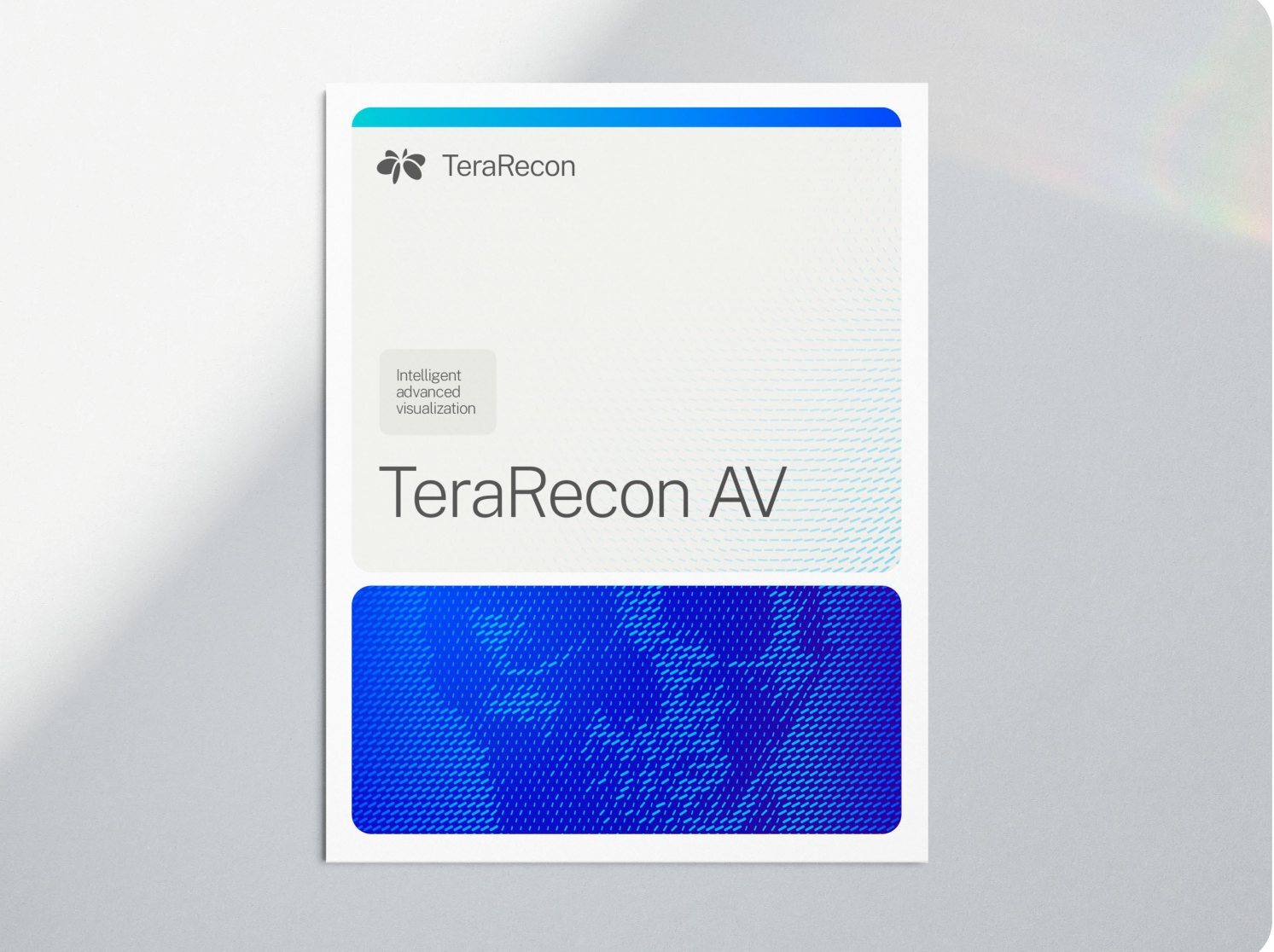
- Product brochure
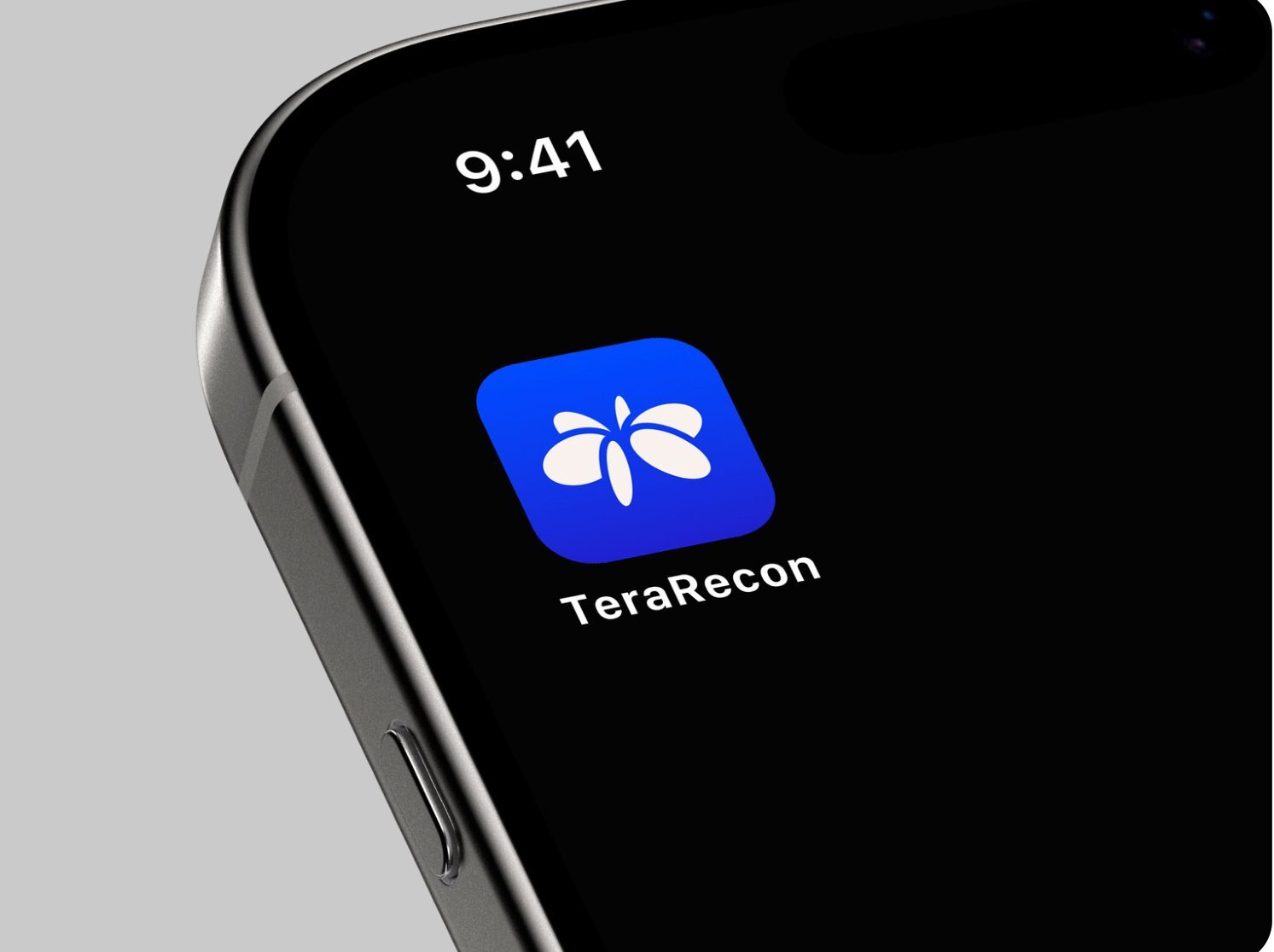
- App icon
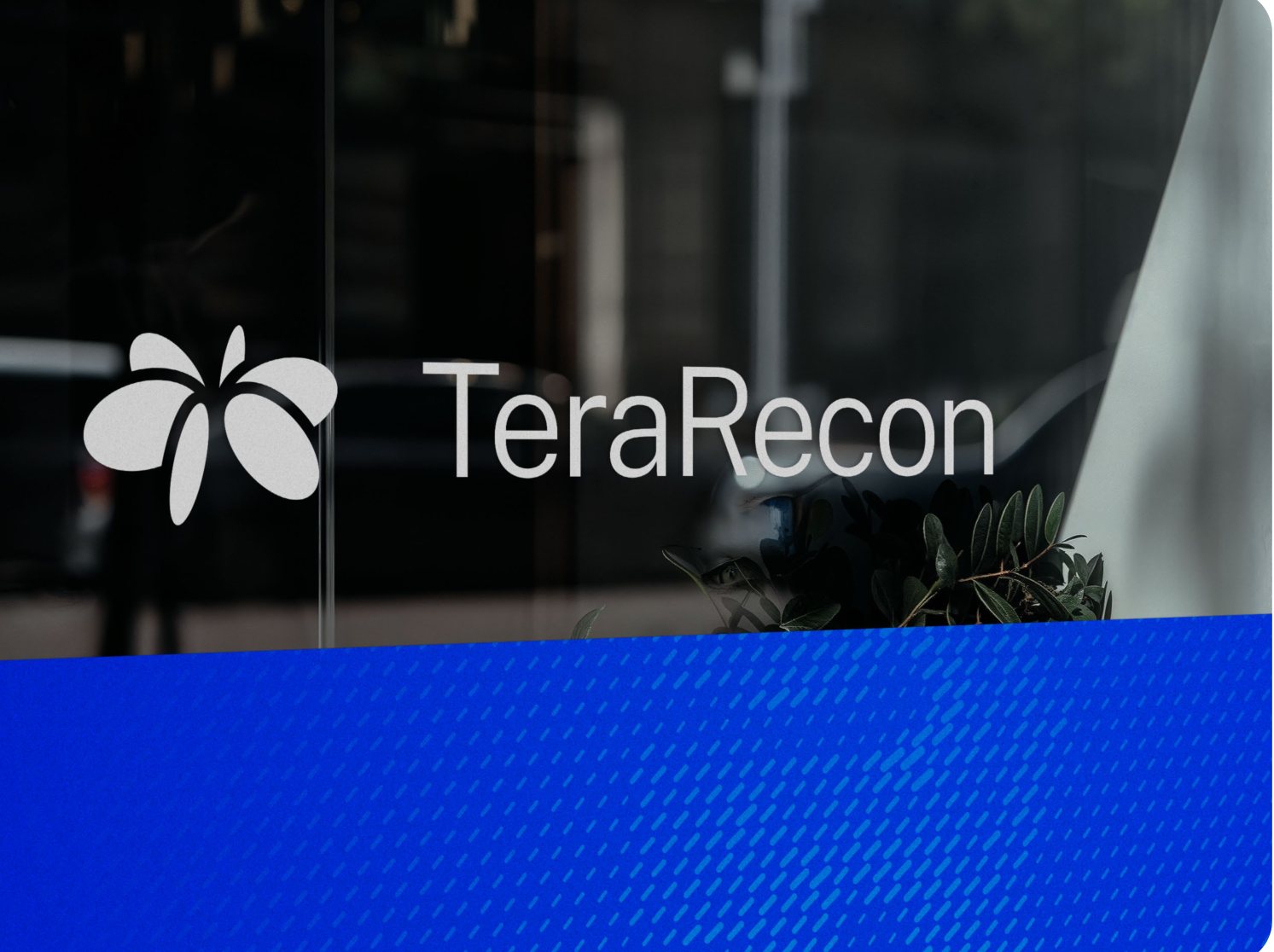
- Environmental
- Apparel
The contents list Gradients and PowerPoint; R1 V4 has no pages for them. Gradients are on the color pages (p.9-10) and in the color rules; PowerPoint is in the typography rules and the Files section.
Everything you need.
All in one place.
These guidelines were created to help ensure consistent expressions of who we are and how we connect with our audiences across communications. They are intended for the exclusive use of TeraRecon and our partners, and should be kept confidential. Please read it carefully and adhere to the guidance in all your work. Guidelines p.3.

About
TeraRecon delivers enterprise imaging intelligence that helps health systems unlock the full value of imaging through connected workflows, AI-driven insights, and coordinated care.
Guidelines p.4
Visual identity
Outlines the full visual system, including logos, color, typography, and graphic elements that create a consistent and recognizable brand expression. Guidelines p.5.
Visual identity
Visual identity Overview
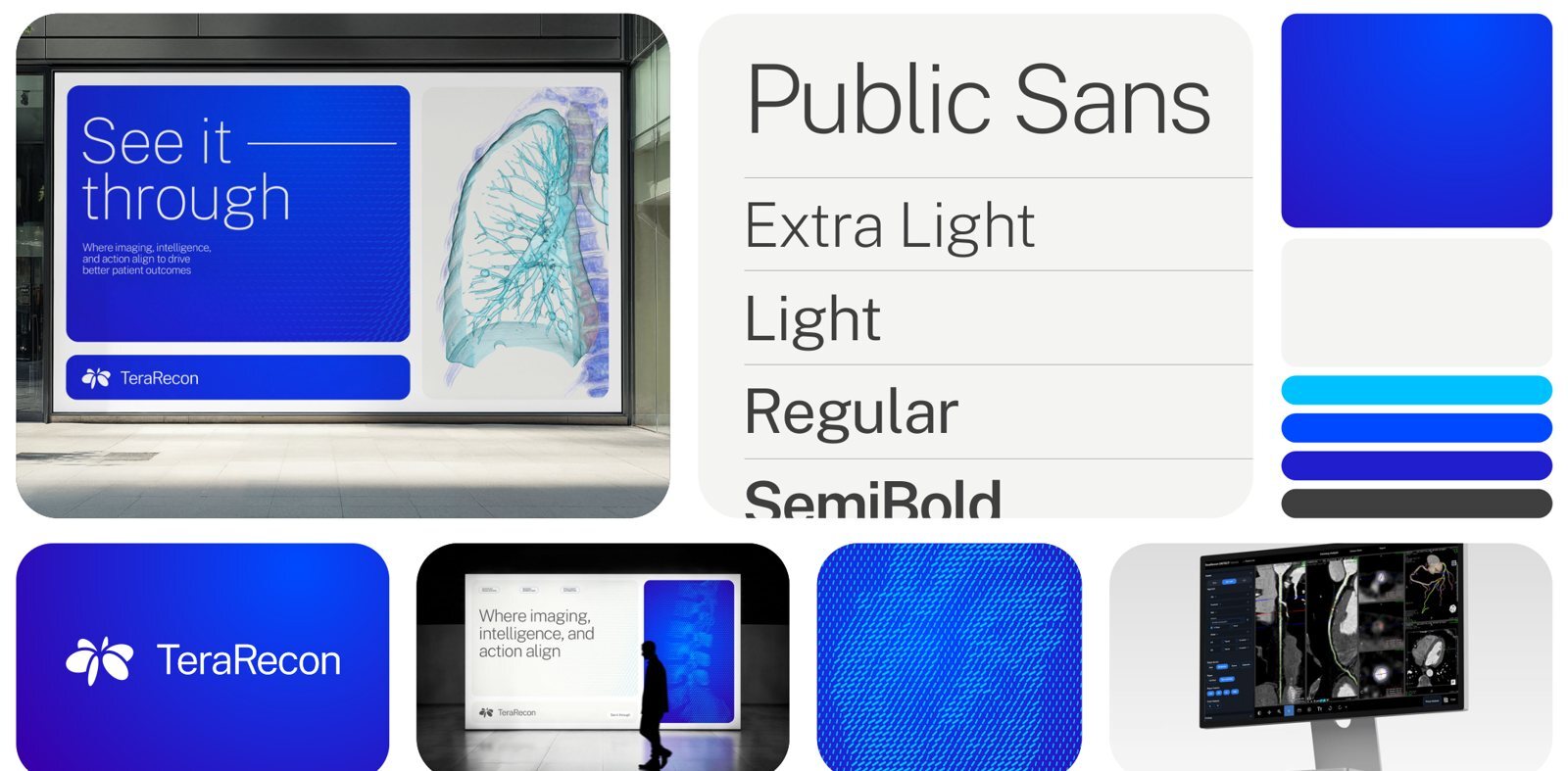
In the panel: Public Sans · Extra Light · Light · Regular · SemiBold
From the agency's guidelines, p.6.
Logo Reach for these two. The rest of this chapter is for the unusual ground.
Visual identity
Logo
The TeraRecon logo lockup combines a refined wordmark with the Orbit mark, a symbol inspired by the alignment of imaging data, technology, clinical expertise, and human insight into a unified view. The Orbit mark visualizes intelligent coordination in motion, transforming complex signals into clarity and action.
The primary logo lockup should be used in most scenarios to ensure proper attribution and identification of the company. The Orbit mark and wordmark should be used more sparingly as visual shorthand and in environments where TeraRecon is already identified. The Charcoal and Cobalt versions of the logos should be used on lighter backgrounds and the Bone and White versions of the logos should be used on darker backgrounds. Do not alter, distort, rotate, recolor, or apply effects to the logo, and always maintain its clarity, proportions, and integrity.
Logo Lockup - Charcoal · Logo Lockup - Cobalt · Logo Lockup - Bone · Logo Lockup - White
From the agency's guidelines, p.7.


-
MustUse the full lockup (the Orbit mark and the TeraRecon wordmark together) in most places; use the Orbit or the wordmark alone more sparingly, as visual shorthand and where TeraRecon is already identified.
Use the full lockup by default. From the guidelines, p.7.
-
MustUse the logo files as supplied, in one flat color: never stretch, rotate, recolor, outline, or add a gradient, shadow or glow.
The gradient Orbit from the identity's development is not used.
One flat color, as supplied. From the guidelines, p.7; decision 30 September 2026 (call with Brian and Heather).
-
MustUse the logo files from this guide's Files section or the brand library: the agency's "White" and "Bone" files are swapped.
The agency's file named Bone is pure white, and the one named White is off-white (RGB 247, 241, 236).
Files: Lockup, Charcoal, 800 px PNG; Lockup, White, 800 px PNG.
Use the logo files named for what they are. Measured 23 September 2026.
-
ShouldKeep the logo modest and let the message be the big thing: the logo signs the piece, the headline speaks.
- People read the biggest thing first. If that's the logo, the piece only says our name. If it's the message, it says why we matter, and the logo tells them who said it.
- A small logo reads as confident. Brands people trust sign their work; they don't shout it. A huge logo looks like it's asking to be noticed.
- The system already says TeraRecon. Cobalt, particle flow, Extra Light type and the oval are recognized before anyone finds the logo, so it doesn't have to carry the piece alone.
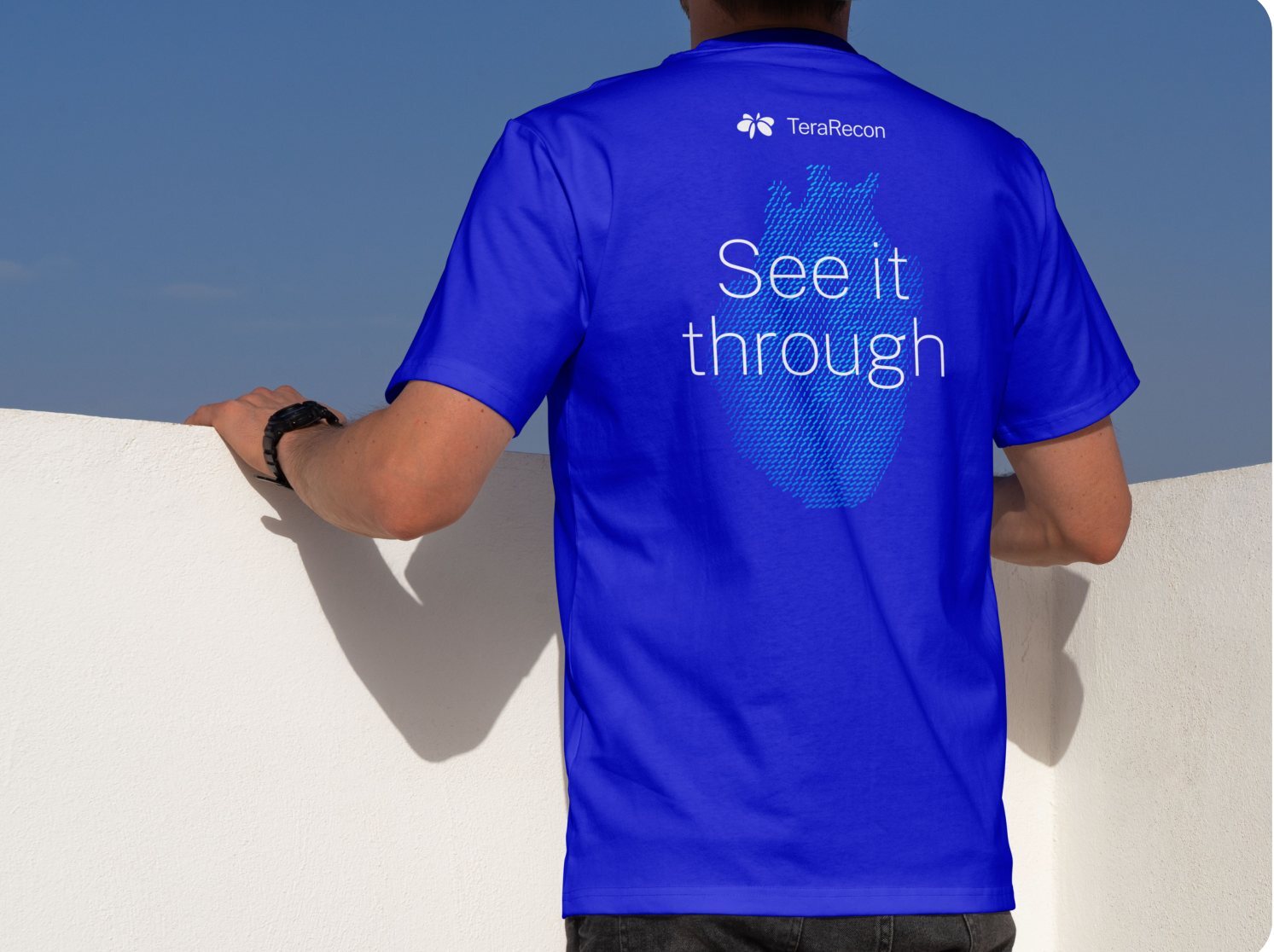
- It's how the agency designed it. The T-shirt (p.31) has a small lockup and a large "See it through"; the display (p.24) gives the logo its own bar under the message.
- How small: easy to read at the distance the piece is seen from, and no bigger. If someone asks for it bigger, make the message clearer instead.
A small logo and a big message. Decided 8 October 2026.
-
SeenGive attribution a stable, quiet location that stays separate from the main reading task; size it in relation to the composition's purpose.
- Seen: The logo is smaller than the message in the displays and brochure. It appears in a low bar on pages 23-24, inside the message panel on page 25, above website content on page 26, and at the top of presentation and brochure examples.
- Written in the guidelines: Page 7 explicitly favors the primary lockup. Its usual supporting scale and placement are inferred from applications.
- Limits: The cover, app icon, environmental sign and closing page have different jobs and can give identity more prominence (pages 1, 29, 30, 34). The PDF gives no universal minimum size or clear-space ratio.
- Ask: Is the brand clearly identified without making every communication a logo-first composition?
Treat the logo as attribution in ordinary messages. Observed in the agency's examples, p.23, 24, 25, 26, 27, 28.
Visual identity
Logo
The same text as p.7, for the Orbit mark and the wordmark on their own.
Orbit Mark - Charcoal · Wordmark - Charcoal · Orbit Mark - Cobalt · Wordmark - Cobalt · Orbit Mark - Bone · Wordmark - Bone · Orbit Mark - White · Wordmark - White
From the agency's guidelines, p.8.







-
MustUse the full lockup. Use the Orbit on its own only where a lockup can't fit or TeraRecon is already named on the same surface: an app icon, a favicon, a social avatar, or a small mark above a statement, as on p.4.
Every choice a maker has to weigh slows the work down, so one lockup everywhere is the rule and the Orbit alone is the named exception. For anything outside these cases, ask Steven Brown. The agency also shows the wordmark on its own (p.8); whether we use it at all is an open question.
The Orbit on its own, rarely. Decided 8 October 2026.
-
MustDon't make logos for products. Name a product in type, in Public Sans beside or under the TeraRecon lockup; a product name may be set as a plain wordmark, never with its own symbol.
One mark keeps the master brand strong, and it saves designing, approving and policing a mark for every product. The category colors (p.10) already tell the products apart.
No product logos. Decided 8 October 2026.
Which logo on each color
Light grounds: Charcoal
Cobalt and dark grounds: White
Bone and Cobalt: one job each
Never
Advanced visualization for every reading room 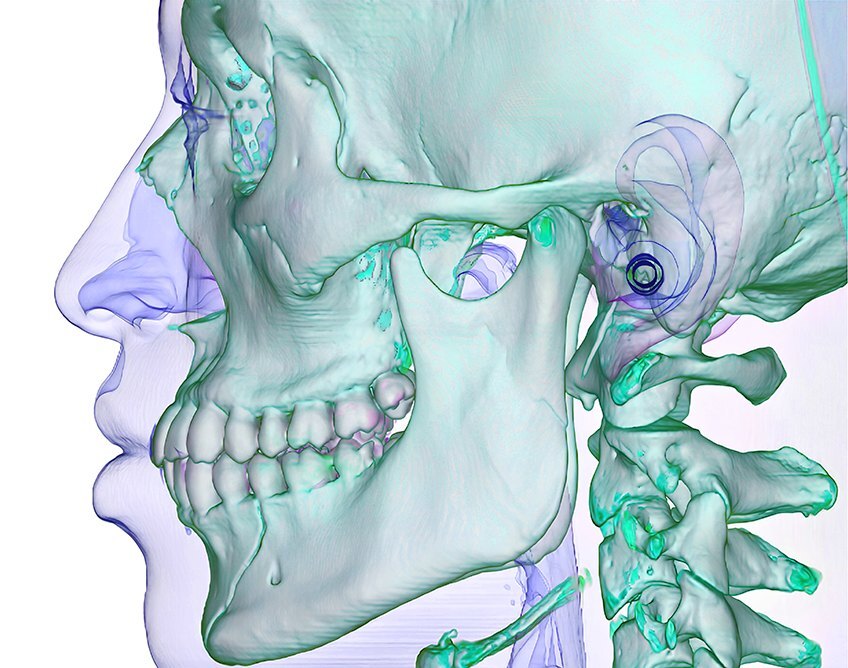
Contrast is WCAG 2, logo against ground; the bar is 4.5:1. Screen colors shown; check print on a proof.
-
MustUse the one logo color the table gives for the ground the logo sits on.
The agency allows two colors on each kind of ground (p.7). This narrows it to one answer, from the agency's own examples and measured contrast. Keeping Cobalt for one-color jobs is our decision: the agency allows Cobalt on light grounds, and p.4 sets the Cobalt Orbit above Charcoal text.
Logo color by ground Ground Logo Why White, Bone, light grays, light photos Charcoal The default everywhere. 9.5–10.4:1. Cobalt, Deep Cobalt, the Cobalt Gradient, the Cobalt end of a category gradient White 6.1–12.0:1. Charcoal, black, dark photos White 10.4–21:1. Cyan or Aqua Charcoal White fails here (2.1:1 and 1.9:1). Flat Violet, Orchid, or any mid-tone No logo Nothing reaches 4.5:1; category solids are never full grounds anyway. Dark ground where the other light elements are Bone Bone Rare: ask Steven Brown first. So the mark matches the type beside it. One-color jobs on a light material: single-spot print, promo items, embroidery Cobalt (PANTONE 2935 C) Rare: ask Steven Brown first. Only where Cobalt is the only ink or thread; never beside Charcoal type. Files: Lockup, Charcoal, 800 px PNG; Lockup, White, 800 px PNG.
Pick the logo color by the ground. Decided 7 October 2026.
-
MustUse the Charcoal or the White logo. The Cobalt and Bone logos are for very special and rare cases; ask Steven Brown before using one.
The brand kit gives employees the Charcoal and White lockups only. The guide keeps the Cobalt and Bone files for the cases the table names.
Charcoal or White; Cobalt and Bone rarely. Decided 26 October 2026.
-
MustOver a photo or a pattern, choose the logo color for the area directly under it; if that area is mixed, put the logo on a flat panel instead of adding a shadow or outline.
Over a photo or pattern, judge the area under the logo. Decided 7 October 2026.
-
MustAs a tagline, set "See it through" inside its outlined oval, never as loose type.
As a display headline it may run large and loose: with a rule after "it" (p.24, 25), or stacked over particle flow on apparel (p.31).

In our work: Logo with the tagline in its oval, one color, PANTONE 425 C "See it through" sits in its oval. Decided 22 September 2026.
-
SeenThe agency's examples often give the logo its own rounded bar under the main card, the same width.
A Bone bar with the Charcoal logo and the tagline oval at the right (p.23), or a Cobalt bar with the White logo (p.24).
In our work: the booth, all the way round.
The lockup bar. Observed in the agency's examples, p.23, p.24.
-
SeenChoose the treatment from the tagline's role: a main statement can be large; a supporting signature can be compact and contained.
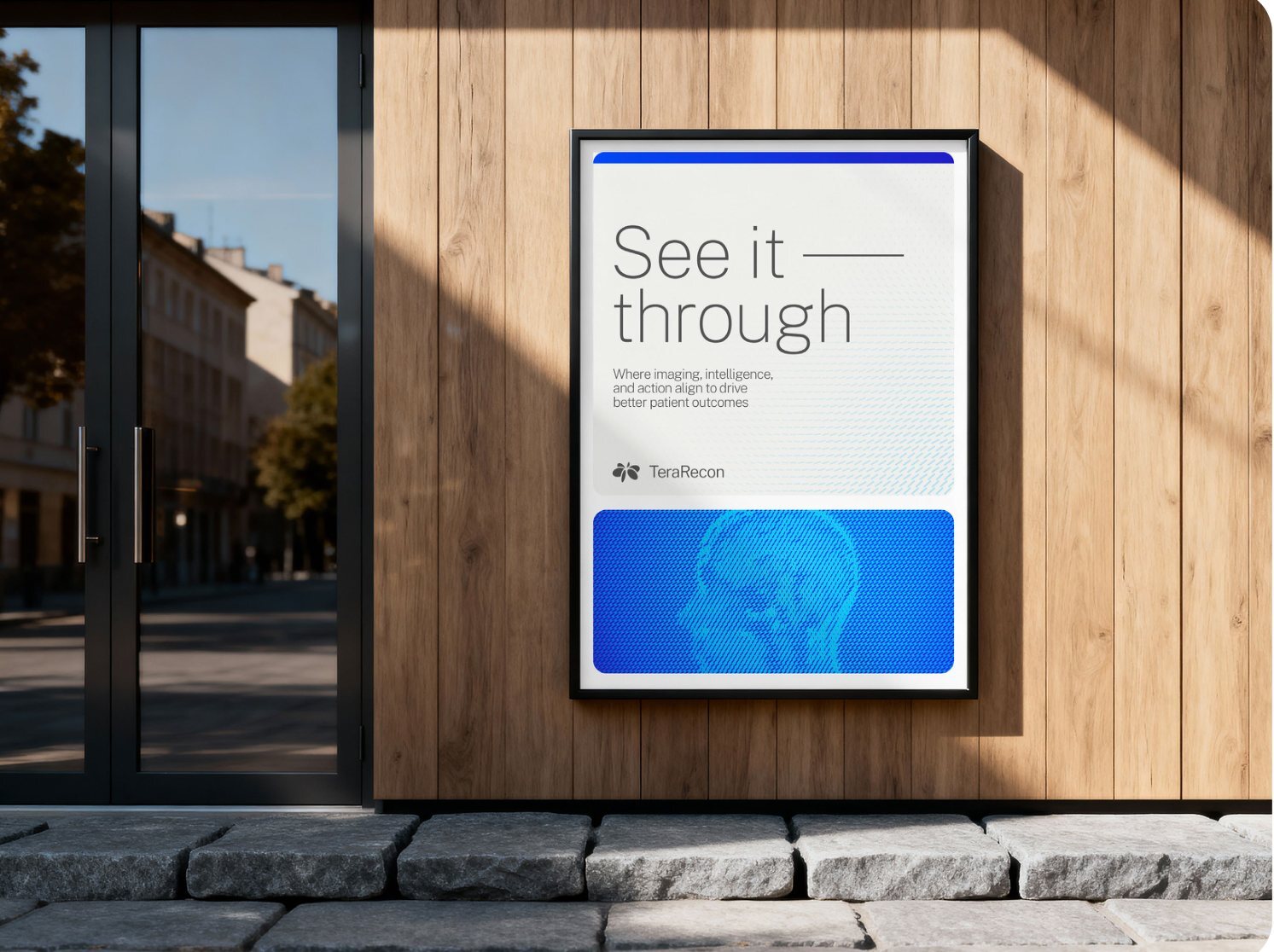
- Seen: Pages 24-25 make 'See it through' a large two-line message with a thin horizontal extension after 'it'. Page 31 uses the two-line message without that extension. Pages 14 and 23 show a small tagline capsule as a signature; page 13 shows a plain single-line type specimen.
- Written in the guidelines: The guide demonstrates these variants without prescribing their relationship in its prose.
- Limits: The horizontal line is optional in the agency evidence. The small capsule on pages 14 and 23 appears filled light, so 'always outlined' is too strong. Existing approved local tagline rules still govern implementation.
- Ask: Is the tagline being used intentionally as the message or as a compact signature?
Separate the tagline's display and signature treatments. Observed in the agency's examples, p.13, 14, 23, 24, 25, 31.
Color
Click any value to copy it.
Visual identity
Color palette Primary
The TeraRecon color palette is designed to communicate precision, clarity, and technical progress. Anchored by the Cobalt to Deeper Cobalt gradient and energized by small accents of Cyan, it balances trusted expertise with intelligent innovation, while the neutrals of Charcoal, Bone, and White provide contrast, focus, and simplicity throughout the system. When the gradient is used in application, the darkest of the Deeper Cobalt is always cropped outside of the application but provides a darker richness to the gradient beyond Deep Cobalt.
From the agency's guidelines, p.9.
Deeper Cobalt Gradient
- HEX
#004AFF→#3800AB- RGB
0, 74, 255→56, 0, 171
- HEX
#F5F5F2- RGB
245, 245, 242- CMYK
0, 0, 2, 3- PMS
25% 2330 C- Ink
- how the ink prints
- HEX
#004AFF- RGB
0, 74, 255- CMYK
100, 63, 0, 2- PMS
2935 C- Ink
- how the ink prints
- HEX
#221ECD- RGB
34, 30, 205- CMYK
100, 76, 0, 9- PMS
293 C- Ink
- how the ink prints
- HEX
#00C2FF- RGB
0, 194, 255- CMYK
79, 3, 0, 0- PMS
2995 C- Ink
- how the ink prints
- HEX
#404040- RGB
64, 64, 64- CMYK
0, 0, 0, 75- PMS
425 C- Ink
- how the ink prints
Also in the palette not on the agency's chart
- HEX
#FFFFFF- RGB
255, 255, 255- CMYK
0, 0, 0, 0- Ink
- how the ink prints
- HEX
#3800AB- RGB
56, 0, 171- CMYK
90, 95, 0, 0
White is the second neutral; in print it is unprinted paper. Deeper Cobalt is a gradient stop, and on web pages also the flat dark ground (rule). The gradient chip gives its real stops; p.9 prints Deep Cobalt's values as its start.
-
MustUse the values in this guide's palette; three values printed on p.9-10 are wrong.
- Cobalt RGB is printed 0, 74, 205; its HEX and the agency's color files give 0, 74, 255.
- Violet HEX is printed 995EFF beside RGB 154, 94, 255, which is 9A5EFF.
- Deeper Cobalt CMYK is printed 33, 24, 20, 2, which is a gray; use 90, 95, 0, 0 (derived). It has no PANTONE.
Use the corrected values. Measured 23 September 2026.
-
MustUse these colors: screen values on screen, the PANTONE for print, CMYK only when spot inks aren't available.
Screen is the master. Each chip shows the screen color beside a screen approximation of the ink; neither is a printed proof.
The palette, for screen and print. From the guidelines, p.9-11; values from tokens.json.
Visual identity
Color palette Categories
The TeraRecon category color system provides clear differentiation across the portfolio while maintaining a cohesive brand experience. Each category is anchored by a distinct accent color: Aqua for TeraRecon Advanced Visualization, Violet for TeraRecon Imaging Workflows, and Orchid for TeraRecon Insights. These colors create immediate recognition across communications, product experiences, and marketing materials while reinforcing the unique role each offering plays within the broader TeraRecon ecosystem.
The primary expression of category color is through gradients that transition from Cobalt into the designated category color. These gradients should serve as the dominant application of the category palette. Solid category colors should be used sparingly as subtle accents to support hierarchy, emphasis, or navigation and should never be used as full-flood backgrounds or dominate a composition.
TeraRecon Advanced Visualization · TeraRecon Imaging Workflows · TeraRecon Insights
From the agency's guidelines, p.10.
- HEX
#00CFD9- RGB
0, 207, 217- CMYK
77, 2, 21, 0- PMS
3115 C
- HEX
#9A5EFF- RGB
154, 94, 255- CMYK
54, 56, 0, 0- PMS
2101 C
- HEX
#D47AD9- RGB
212, 122, 217- CMYK
11, 70, 0, 0- PMS
238 C
-
MustUse Aqua, Violet and Orchid mainly as gradients from Cobalt; as solids only in small accents, never as a full-flood ground or on type.
The only solid category color at size in the agency's examples is the chip inside a product tag (p.20). As particle-flow pills, only in an approved pairing (Aqua on Cobalt, for print). A product slide, card or panel may sit on its category gradient (Cobalt into the category color, the dominant use on p.10), with the White logo at the Cobalt end.
Category colors belong to products and stay small. From the guidelines, p.10; type: decision 8 October 2026.
-
MustAqua, Violet and Orchid, their tints and their gradients, appear only where the piece is about that category: Aqua for Advanced Visualization, Violet for Imaging Workflows, Orchid for Insights. Everywhere else the palette is Cobalt, Deep Cobalt, Cyan, Charcoal, Bone and White. A category color is never a neutral, a decoration or a tint behind unrelated content.
Category colors only where that service line is the subject. Decided 10 October 2026; Steven Brown, website restage iteration review; clarifies p.10.
-
SeenLet the shared brand structure remain recognizable while a contained category treatment identifies the offering.
- Seen: On page 20, three category website examples retain the core blue/purple hero and white navigation. Category color appears in the overlaid message panel and product tag. The category labels also begin in Cobalt before moving toward the category color.
- Written in the guidelines: Page 10 explicitly requires category gradients and restrained solid accents. Nesting the category treatment inside a shared hero/navigation system is shown.
- Limits: All three applications come from one page and one website family. That is good evidence for this family, but insufficient to require a blue outer hero in every medium.
- Ask: Does the category read as part of TeraRecon while remaining distinguishable from its siblings?
Keep category identity inside the master-brand frame. Observed in the agency's examples, p.10, 20.
Visual identity
Color palette Tertiary
The tertiary palette extends the primary spectrum from magenta to blue, providing additional range in specific cases. These colors are reserved for selective use, primarily in charts and graphs where clear differentiation is required beyond the core palette. They should be used sparingly and never applied to hero graphics or large color fields, ensuring the primary and sub-brand colors remain visually dominant.
From the agency's guidelines, p.11.
- HEX
#D6333D- RGB
214, 51, 61- CMYK
10, 95, 80, 1
- HEX
#F2572B- RGB
242, 87, 43- CMYK
0, 81, 93, 0
- HEX
#F58F18- RGB
245, 143, 24- CMYK
0, 52, 100, 0
- HEX
#FDB50F- RGB
253, 181, 15- CMYK
0, 32, 100, 0
- HEX
#B5C121- RGB
181, 193, 33- CMYK
34, 11, 100, 0
- HEX
#45AB2B- RGB
69, 171, 43- CMYK
74, 6, 100, 0
- HEX
#019E99- RGB
1, 158, 153- CMYK
81, 16, 44, 0
- HEX
#851E26- RGB
133, 30, 38- CMYK
29, 97, 85, 33
- HEX
#A63A1F- RGB
166, 58, 31- CMYK
24, 88, 100, 17
- HEX
#BB5A26- RGB
187, 90, 38- CMYK
20, 75, 100, 8
- HEX
#AE7F2A- RGB
174, 127, 42- CMYK
29, 48, 100, 9
- HEX
#769424- RGB
118, 148, 36- CMYK
59, 25, 100, 6
- HEX
#407625- RGB
64, 118, 37- CMYK
77, 31, 100, 19
- HEX
#316E6B- RGB
49, 110, 107- CMYK
82, 40, 55, 18
-
MustUse the tertiary colors only in charts and graphs, never in hero graphics or large color fields.
Since 16 October 2026 they also mark clinical areas on the web, by a fixed map (web-clinical-area-tertiary).
Tertiary colors are for charts. From the guidelines, p.11.
Gradients
The dark ground: covers, section openers, hero cards, closing slides
Thin edge strips on cards
Advanced Visualization: product cards and tags
Imaging Workflows: product cards and tags
Insights: product cards and tags
-
MustUse the gradients with these stops; Deeper Cobalt and the mid blue #0083FF exist only as gradient stops.
When the Cobalt Gradient is used, its darkest corner is cropped outside the piece (p.9). On screen, add slight noise or dither so a gradient doesn't band.
Gradients. From the guidelines, p.9-10; stops from the agency's InDesign file.
-
SeenIn the agency's examples, headlines are White on Cobalt grounds and particle flow, and Charcoal on Bone and White; never Cobalt, Cyan or a category color.
Grounds, most to least common: the Cobalt Gradient, Bone, White around cards, flat Cobalt in lockup bars. Charcoal appears as a ground only behind the White logo (p.7).
Text colors on grounds. Observed in the agency's examples, p.2-34.
Download the swatches
Swatch files for Illustrator, InDesign and Photoshop; CSS for web themes.
The values as the agency printed thempp.9-11, for reference
| Color | HEX | RGB | CMYK | PMS |
|---|---|---|---|---|
| Cobalt to Deeper Cobalt Gradient: start | 221ECD | 34, 30, 205 | 100, 76, 0, 9 | |
| Cobalt to Deeper Cobalt Gradient: end | 3800AB | 56, 0, 171 | 33, 24, 20, 2 | |
| Bone | F5F5F2 | 245, 245, 242 | 0, 0, 2, 3 | 25% 2330 C |
| Cobalt | 004AFF | 0, 74, 205 | 100, 63, 0, 2 | 2935 C |
| Deep Cobalt | 221ECD | 34, 30, 205 | 100, 76, 0, 9 | 293 C |
| Cyan | 00C2FF | 0, 194, 255 | 79, 3, 0, 0 | 2995 C |
| Charcoal | 404040 | 64, 64, 64 | 0, 0, 0, 75 | 425 C |
| Color | HEX | RGB | CMYK | PMS |
|---|---|---|---|---|
| Aqua | 00CFD9 | 0, 207, 217 | 77, 2, 21, 0 | 3115 C |
| Violet | 995EFF | 154, 94, 255 | 54, 56, 0, 0 | 2101 C |
| Orchid | D47AD9 | 212, 122, 217 | 11, 70, 0, 0 | 238 C |
| Color | HEX | RGB | CMYK |
|---|---|---|---|
| Red | D6333D | 214, 51, 61 | 10, 95, 80, 1 |
| Red 2 | 851E26 | 133, 30, 38 | 29, 97, 85, 33 |
| Red Orange | F2572B | 242, 87, 43 | 0, 81, 93, 0 |
| Red Orange 2 | A63A1F | 166, 58, 31 | 24, 88, 100, 17 |
| Orange | F58F18 | 245, 143, 24 | 0, 52, 100, 0 |
| Orange 2 | BB5A26 | 187, 90, 38 | 20, 75, 100, 8 |
| Yellow | FDB50F | 253, 181, 15 | 0, 32, 100, 0 |
| Yellow 2 | AE7F2A | 174, 127, 42 | 29, 48, 100, 9 |
| Yellow Green | B5C121 | 181, 193, 33 | 34, 11, 100, 0 |
| Yellow Green 2 | 769424 | 118, 148, 36 | 59, 25, 100, 6 |
| Green | 45AB2B | 69, 171, 43 | 74, 6, 100, 0 |
| Green 2 | 407625 | 64, 118, 37 | 77, 31, 100, 19 |
| Teal | 019E99 | 1, 158, 153 | 81, 16, 44, 0 |
| Teal 2 | 316E6B | 49, 110, 107 | 82, 40, 55, 18 |
Typography
Visual identity
Typography
Public Sans is the primary typeface for TeraRecon to be used across all external brand and marketing applications. Its clean, modern form supports clarity and precision, reinforcing the brand’s focus on intelligence and usability. As an open-source font, Public Sans is accessible and easy to implement across teams and platforms and can be downloaded here. To maintain consistency and integrity, the typeface should never be stretched or skewed.
For internal documents and PowerPoints, Aptos is the default font that should be used.
From the agency's guidelines, p.12.
Aptos
Light · Regular · SemiBold · Bold
Shown in Aptos where this computer has it. For PowerPoint, the rule since is the Public Sans template, fonts embedded: PowerPoint rule.
If these lines don't look like the guidelines' p.12, Public Sans isn't loading and you are seeing a fallback font.
-
MustSet headlines and sub-headlines in Public Sans Extra Light (tracking -20, leading about the type size) and body copy in Public Sans Regular (tracking -10, leading about 150%).
The agency's examples set headlines and body only in Extra Light and Regular; the other weights on p.12 appear only in the p.6 type specimen. Reach for size and color before bold.
Files: Public Sans, static TTFs with the SIL Open Font License.
Public Sans, two weights. From the guidelines, p.12-13.
-
MustUse the TeraRecon Public Sans template for every deck, with "Embed fonts in the file" on when saving.
This still replaces p.12's "Aptos is the default" for PowerPoint. The template embeds Public Sans, so decks carry it to machines without it installed.
Files: TeraRecon 2026 PowerPoint template.
PowerPoint: the Public Sans template, fonts embedded. Decided 22 October 2026.
Visual identity
Typography Type styling
Public Sans Extra Light is the primary weight for headlines and sub-headlines, set in sentence case to maintain a clear, modern tone. Leading should closely match the type size, with tracking set to -20 for a consistent, refined appearance. For body copy, Public Sans Regular is the primary weight, supporting readability and balance across longer passages. Leading is more open than headlines, approximately 50% greater than the type size, with tracking set to -10 to ensure clarity and ease of reading.
Headlines and sub-headlines should be set in sentence case, not in title case. The page shows “Where Imaging, Intelligence, and Action Align” struck through.
From the agency's guidelines, p.13.
Sentence case, always The slip that makes a piece look off-brand
Capitalize the first word of a headline and proper names. Nothing else: not the other words of a title, not a button, not a heading on a slide.
Where imaging, clinical intelligence, and action align
Wrong, in title case: Where Imaging, Clinical Intelligence, and Action Align
-
MustSet headlines and sub-headlines in sentence case, never Title Case.
Capitalize the first word and proper names only: "See it through", "Where imaging, clinical intelligence, and action align". Title Case is the most common slip, and it is the one that makes a piece look off-brand.
Sentence case. From the guidelines, p.13.
-
MustWrite "clinical intelligence", never "intelligence" alone: the headline reads "Where imaging, clinical intelligence, and action align".
The agency's sample on p.13 predates this decision and is kept as the agency wrote it. Use the new wording on every piece from now on, including slides, banners, signage and the website. "Imaging intelligence" stays as it is for now, as in "enterprise imaging intelligence" (Steven, 9 October 2026).
Clinical intelligence. Decided 9 October 2026.
-
ShouldNever leave a single word alone on the last line of a headline or sub-headline, and avoid it in body copy; break the line by hand, or rewrite.
A one-word last line is called an orphan (some say a runt). Its cousin, the widow, is a paragraph's last line stranded at the top of the next column or page: avoid that too. In PowerPoint and print, add a line break (Shift+Enter) before the last two or three words. On web pages,
text-wrap: balanceon headings andtext-wrap: prettyon body text do it automatically.No one-word last lines. Decided 8 October 2026.
-
SeenIn the agency's examples, headlines are left-aligned and ragged right, never hyphenated, and a headline that is one phrase has no period.
- One phrase, no period: "See it through", "Coordinated imaging intelligence", "Zero-click 3D batching" (p.14, 24, 25).
- Two sentences keep their punctuation, and the line breaks after the first: "Everything you need. / All in one place." (p.3), "Questions? / We're here to help." (p.33).
- Lines are broken by sense, not by the box: "Where imaging, / intelligence, and / action align" (p.13).
How the agency sets headlines. Observed in the agency's examples, p.3, 13, 14, 24, 25, 33.
-
SeenIn the agency's examples, capitals appear only inside category chips, product tags and buttons, never as loose labels or headlines.
Capitals only in chips and tags. Observed in the agency's examples, p.20, p.23, p.26.
-
SeenKeep the main display message light and spacious. Establish subordinate roles with size, position and carefully scoped label weight.
- Seen: The applications use a small number of large, light, neutral-colored or reversed-white headline blocks, separated from supporting text. Short line groups and open space carry prominence. Page 27 includes a heavier event subline, and the guide's own secondary labels use heavier weights.
- Written in the guidelines: ExtraLight, sentence case, tracking and leading are explicit on page 13. The recurring scale contrast and restrained headline coloring are shown conventions.
- Limits: Public Sans includes several weights on page 12; the examples do not ban all heavier text. The absence of colored marketing headlines in this set does not create a universal color prohibition.
- Ask: Is the main message immediately dominant, with supporting labels clearly subordinate?
Let scale and placement carry the headline hierarchy. Observed in the agency's examples, p.13, 23, 24, 25, 26, 27, 28, 34.
Graphic language
Visual identity
Graphic language Overview
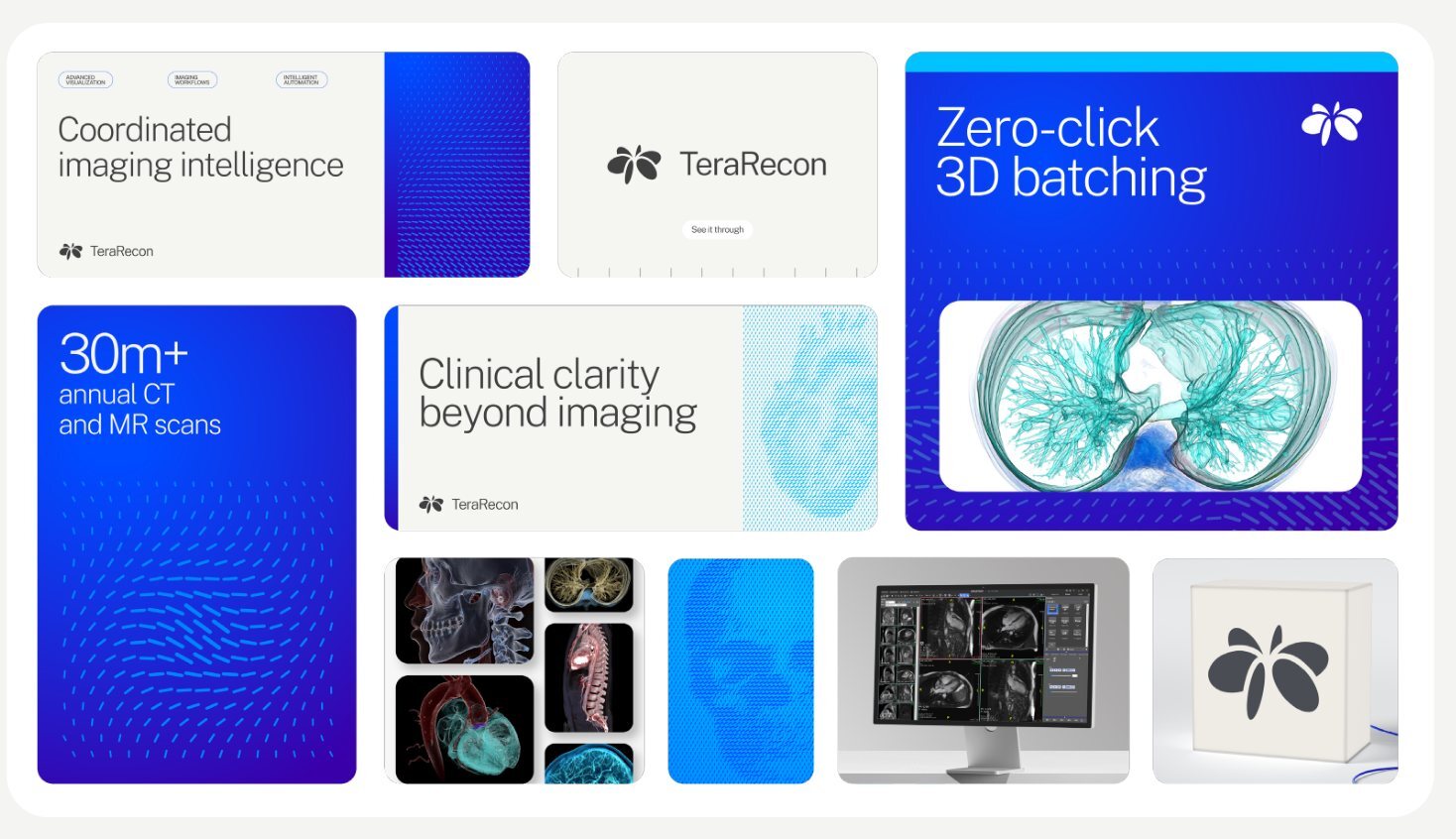
The TeraRecon graphic language brings intelligence, connection, and momentum to life through flowing particle forms, technical structure, and vibrant gradients. Inspired by the Orbit mark, these elements visualize the movement of data, workflows, and clinical decision-making across the healthcare ecosystem.
The system should feel precise, dynamic, and optimistic, balancing technical sophistication with clarity and simplicity. Connected to the mark, round corners and obrounds are used providing a connective device and tool for highlighting content. Used consistently, it creates a distinctive visual expression that transforms complex information into a connected and approachable experience.
From the agency's guidelines, p.14.
-
MustOn a framed piece, make the White border 4% of the artboard's short side, the same on all four sides.
Measure the short side, multiply by 0.04, and use that on every side. Anything from 3.5% to 4.5% is fine. On a printed piece, the border is never under 1/8 in, because the trimmer drifts by 1/32 to 1/16 in and a thinner border shows it as one side thicker than the other. On screen, round to whole pixels. The rule is for framed pieces. Full-bleed pieces, the environmental band (p.30) and apparel (p.31) have no border. The agency's framed pieces measure 3.4% to 4.4%: the lightbox on p.23, the window display on p.24, the framed poster on p.25 and the brochure cover on p.28.
White border at 4% of the short side Artboard Short side White border Slide or screen, 1920 × 1080 px 1080 px 43 px Letter brochure or flyer, 8.5 × 11 in 8.5 in 0.34 in (about 11/32 in) Poster, 24 × 36 in 24 in 0.96 in Card, 5 × 7 in 5 in 0.2 in (3/16 in is inside the range) Business card, 3.5 × 2 in 2 in 1/8 in, the print minimum White border width. Decided 9 October 2026; measured on the agency's p.23, 24, 25 and 28 (visual ledger 5a).
-
MustNo drop shadows. Depth comes from the ground: a White card on Bone, a Bone panel on White, a hairline in Charcoal at low opacity, or a tone step within the palette. Shadows, glows and blurs are not used on cards, buttons, images, chips or type.
No drop shadows. Decided 10 October 2026; Steven Brown, website restage iteration review.
-
SeenThe agency's examples build pages from a small set of repeated devices.
Repeated devices in the agency's examples Device How Seen on Cards and bento Rounded rectangles, one corner radius per piece, in a grid with even, narrow gutters, mixing a stat, a headline, particle flow, a rendering, product UI and the logo. Content sits on a large Bone panel on White. p.6, 14 Stat card A large Extra Light number with its label under it, on the Cobalt Gradient with quiet particle flow below. p.14 Edge strip A thin strip along an edge of a card, usually the top or bottom, sometimes a vertical one at the left (p.14): Cyan, Cobalt, or a gradient such as the Aqua Gradient under the precision marks (p.18). p.14, 18, 25, 28 Section number "02" in an outlined obround in White on the gradient, or in a filled Cobalt → Deep Cobalt obround with a White numeral on Bone. p.2, 5, 18, 27 Category chips Outlined hairline obrounds with small capitals, across the top of a card. p.23 Product tag An outer obround in Cobalt → category color, holding a solid category chip with White capitals. p.20 Descriptor tag A small rounded rectangle one step darker than Bone, with Charcoal text. p.28 Button An outlined obround with White text and a filled circle arrow. p.26 In our work: the booth, all the way round.
Devices the examples use again and again. Observed in the agency's examples, as listed.
-
SeenStart by assigning each module a job, then assemble the composition. The modules can vary in size without losing their relationship.
- Seen: The display examples assign separate areas to the message, a medical image or particle field, and attribution. Pages 23 and 24 use a large text panel, a tall image panel and a low logo bar. Pages 25 and 28 stack the main message above an image panel.
- Written in the guidelines: Page 14 explicitly introduces rounded corners and obrounds; the repeated message/image/signature arrangement is shown rather than prescribed.
- Limits: The arrangement varies. Page 26 combines text and pattern inside one hero; page 31 combines the slogan and anatomy on a shirt.
- Ask: Can a reader distinguish the main message, the supporting image and the attribution at a glance?
Divide the composition into distinct jobs. Observed in the agency's examples, p.1, 14, 23, 24, 25, 28.
-
SeenAlign related edges and give neighboring modules coherent spacing. Let the background act as a frame, so the composition reads as assembled rather than scattered.
- Seen: Brand examples retain a light perimeter around the artwork and narrow, orderly separations between rounded modules. The poster on page 24 aligns the logo bar with the text panel; the image panel spans their combined height. Page 28 separates its upper and lower panels with a light gap.
- Written in the guidelines: The prose names rounded forms, but gives no gutter unit, layout grid or universal corner-radius value.
- Limits: These are graphic-layout conventions. The environmental band on page 30 and the apparel on page 31 do not follow the same framed-panel treatment. Nested frames also do not prove one radius for every element.
- Ask: Do related edges and gaps form a deliberate grouping, appropriate to this medium?
Keep a visible frame and a consistent gutter rhythm. Observed in the agency's examples, p.14, 23, 24, 25, 28.
-
SeenPreserve reading order and element roles when changing aspect ratio; choose a suitable arrangement and crop for the new space.
- Seen: The desktop and phone examples on page 26 both retain navigation above the hero and the message before the supporting image. The desktop field occupies the right of the message; the phone places its anatomical subject below. Wide display and tall print examples also use different arrangements.
- Written in the guidelines: The guide shows a desktop/phone pair but specifies neither responsive breakpoints nor a component-reflow algorithm.
- Limits: The phone uses a different particle subject, so the PDF does not establish that this is a literal responsive capture of the desktop page. Treat it as art direction, not proof of implemented behavior.
- Ask: Has the narrow format been composed for its space while retaining the same message hierarchy?
Recompose for the format. Observed in the agency's examples, p.23, 25, 26, 28.
-
SeenPlace the primary message where the image is least competitive, using crop, placement and approved treatment to keep the reading area calm.
- Seen: Several abstract fields on page 17 leave broad low-detail areas. On pages 23, 24 and 26, the densest pattern sits toward the image side or edge while the headline starts in a calmer area. The brochure on page 28 leaves substantial open space around its identity and descriptor.
- Written in the guidelines: Page 16 already says particle flow should support content and can fade. The inferred detail is the spatial arrangement of quieter reading areas and denser image areas.
- Limits: A universal ban on overlap would be wrong: page 31 puts display text over a particle heart, and page 28 lets subtle pattern approach the title.
- Ask: At final viewing size, does the image support the hierarchy instead of breaking up the words?
Give the reader a quiet landing zone. Observed in the agency's examples, p.17, 23, 24, 26, 28.
-
SeenUse capsules, tags and small rectangles according to their information role. Keep decorative shapes subordinate to what they label or activate.
- Seen: Page 23 uses small outlined capsules for category labels; page 26 uses an outlined call-to-action with a filled circular arrow. Page 20 nests a small product label inside a longer category-gradient capsule. Page 28 uses a softly rounded rectangular descriptor.
- Written in the guidelines: Page 14 describes obrounds generally. The mapping from particular shape treatments to labels, actions and descriptors is inferred from examples.
- Limits: These examples do not establish a mandatory component library. The number badges and other capsule uses have different fills; a single universal pill style would erase useful distinctions.
- Ask: Does this shape carry a clear label, status, identifier or action rather than merely decorate the page?
Give compact shapes recognizable jobs. Observed in the agency's examples, p.20, 23, 25, 26, 27, 28.
-
SeenUse a narrow gradient strip as an edge accent, coordinated with the shape and role of its host panel.
- Seen: A narrow colored strip caps the 'Zero-click' card on page 14, follows the bottom of the precision-mark panel on page 18, and caps the upper panels on pages 25 and 28. It reinforces a boundary instead of crossing the middle of the message.
- Written in the guidelines: Gradient colors and precision marks have written guidance; the recurring edge-strip device lacks a standalone written specification.
- Limits: The edge varies, and page 14 also shows a vertical accent. The guide establishes neither a fixed strip thickness nor a requirement to put one on every panel. Precision-mark exclusions remain explicit.
- Ask: Does the accent reinforce the panel boundary while remaining secondary to the content?
Attach thin gradient accents to an edge. Observed in the agency's examples, p.14, 18, 25, 28.
Visual identity
Graphic language Anatomical particle flow
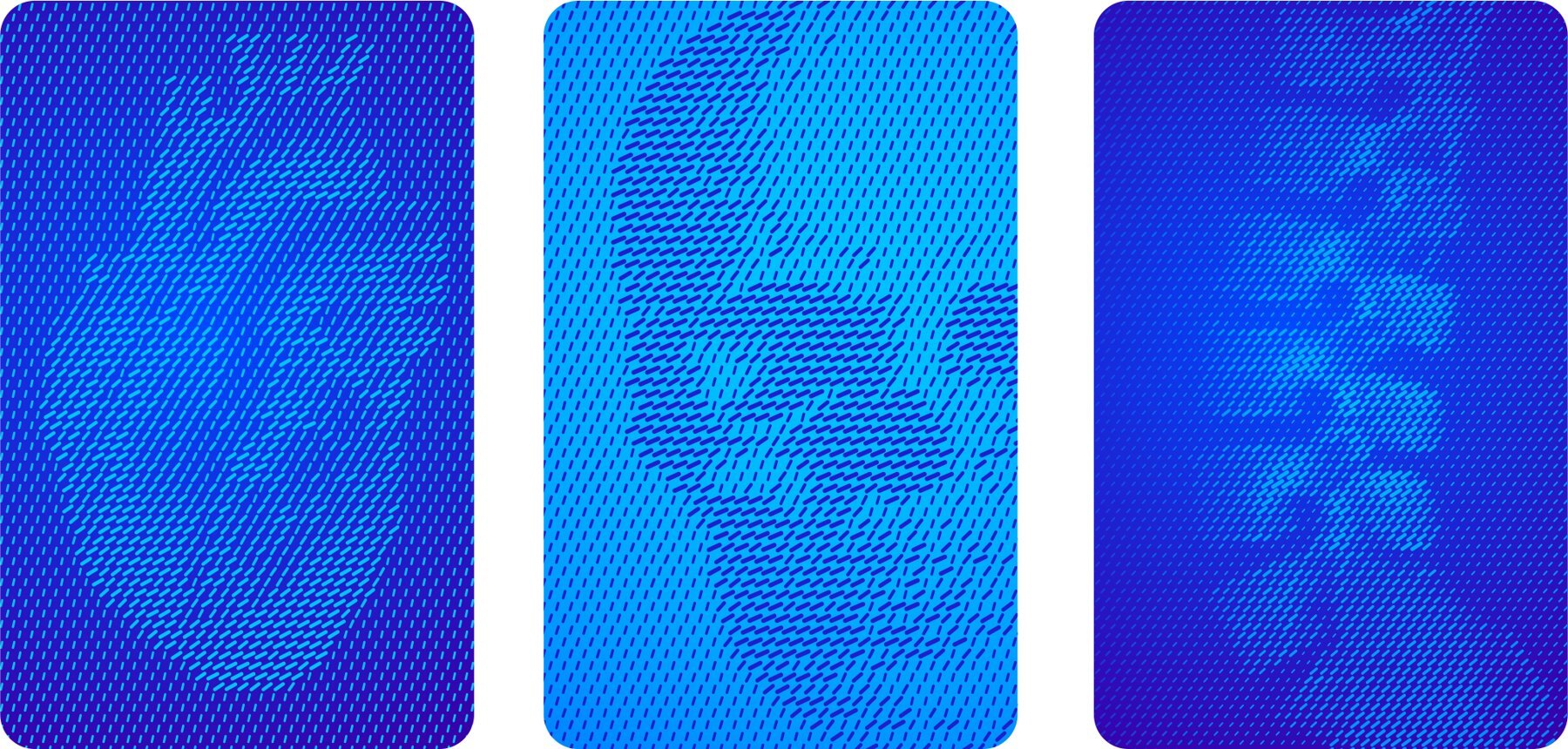
The particle flow graphic language visualizes TeraRecon’s ability to bring clarity to complexity. Streams of particles converge to reveal anatomical forms, symbolizing how imaging data, clinical context, and intelligent workflows come together to create a complete picture. The result is a distinctive expression of insight, precision, and discovery that reinforces TeraRecon’s role in helping care teams see more and act with confidence.
One main expression of this is with parts of anatomy which helps anchor the TeraRecon visual language in the world of medical imaging. When using this technique, use higher contrast colors (Cyan on Bone or Cyan on Cobalt) so the body parts should be clearly identifiable. This expression should be used within the broader brand ecosystem where a 3D rendering is present to clearly communicate the advanced visualization techniques. Always use pre-approved and provided assets when implementing in compositions.
From the agency's guidelines, p.15.

-
MustMake particle flow one flat pill color on one ground: no third color, no tint and no gradient in the pills.
Contrast comes from pill size, not color.
Particle flow is a duotone. Decided 8 October 2026.
-
MustGenerated particle flow follows the pill geometry measured from the agency's files: pills on a hexagonal lattice, long and thin, nearly parallel to their neighbors, with one size value driving length, width and angle.
Measured from about 28,000 pills in the agency's 26 August Illustrator files. Everything is in units of the pitch p, the distance between neighboring pill centers. The numbers are in
tokens.jsonunderpattern.pill; Duotone Studio draws to them by default, andbuild-source\measure_pills.pychecks a generated file. Abstract fields also bend their flow along paths (p.17), so a field has no single angle; the formula sets each pill's angle against the field's local flow.One Rhythm pill geometry, in units of the pitch p Property Value Lattice Hexagonal: rows 0.866 p apart, alternate rows offset p/2 Size One value s, 0 to 1, drives every dimension; a field is one grayscale size map Fine pills (most fields) Width 0.073 + 0.136 s, length 0.306 + 0.908 s: aspect 4.2 to 5.8 Bold pills (stand-alone Cyan-on-light image tiles) Width 0.190 + 0.137 s, length 0.670 + 0.536 s Longest pill 1.21 p, so neighbors stay within about 27° of each other Angle (fine) 108 − 241 s + 96 s² degrees from horizontal: large pills lie flat, small ones vary Angle (bold) 78 − 55 s degrees Whole field May be mirrored, or turned by up to about 20° Pill geometry: the One Rhythm standard. Measured 19 September 2026.
-
MustNever use White for the pills.
Category colors may be pills where a pairing is approved, as Aqua on Cobalt is for print.
Never White pills. Decided 8 October 2026.
-
MustFade particle flow with a solid in the ground color laid over the pills, running from opaque to transparent, so the pills stay one color and sink into the ground.
Measured: every faded field in the agency's final files is made this way, including p.4's pale pills (Cyan under White at about 78%).
A fade is a separate layer. Decided 8 October 2026.
-
MustShow anatomy at high contrast (Cyan on Bone or Cyan on Cobalt) so the body part is clearly identifiable, and use it where a 3D rendering is present.
In our work: the booth, all the way round.
Anatomy at high contrast. From the guidelines, p.15.
-
MustUse the agency's particle-flow files, or particle flow that has been approved before use.
Approved means approved by the brand owner, Steven Brown. Ask him for the agency's files.
Files: The agency's particle-flow and rendering files.
Pre-approved particle flow only. From the guidelines, p.15-17.
-
ShouldOn screen, put particle flow on the Cobalt Gradient most of the time; flat grounds give variety.

In our work: The live particle flow for terarecon.com: Cyan pills on the Cobalt Gradient, shaped by a spinning heart Digital particle flow sits on the Cobalt Gradient. Decided 8 October 2026.
-
SeenIn the agency's examples, particle flow sits inside a rounded card, not edge to edge on a page; the exceptions are environmental wall bands (p.30) and apparel (p.31).
Particle flow inside rounded cards. Observed in the agency's examples, p.14-31.
Visual identity
Graphic language Abstract particle flow
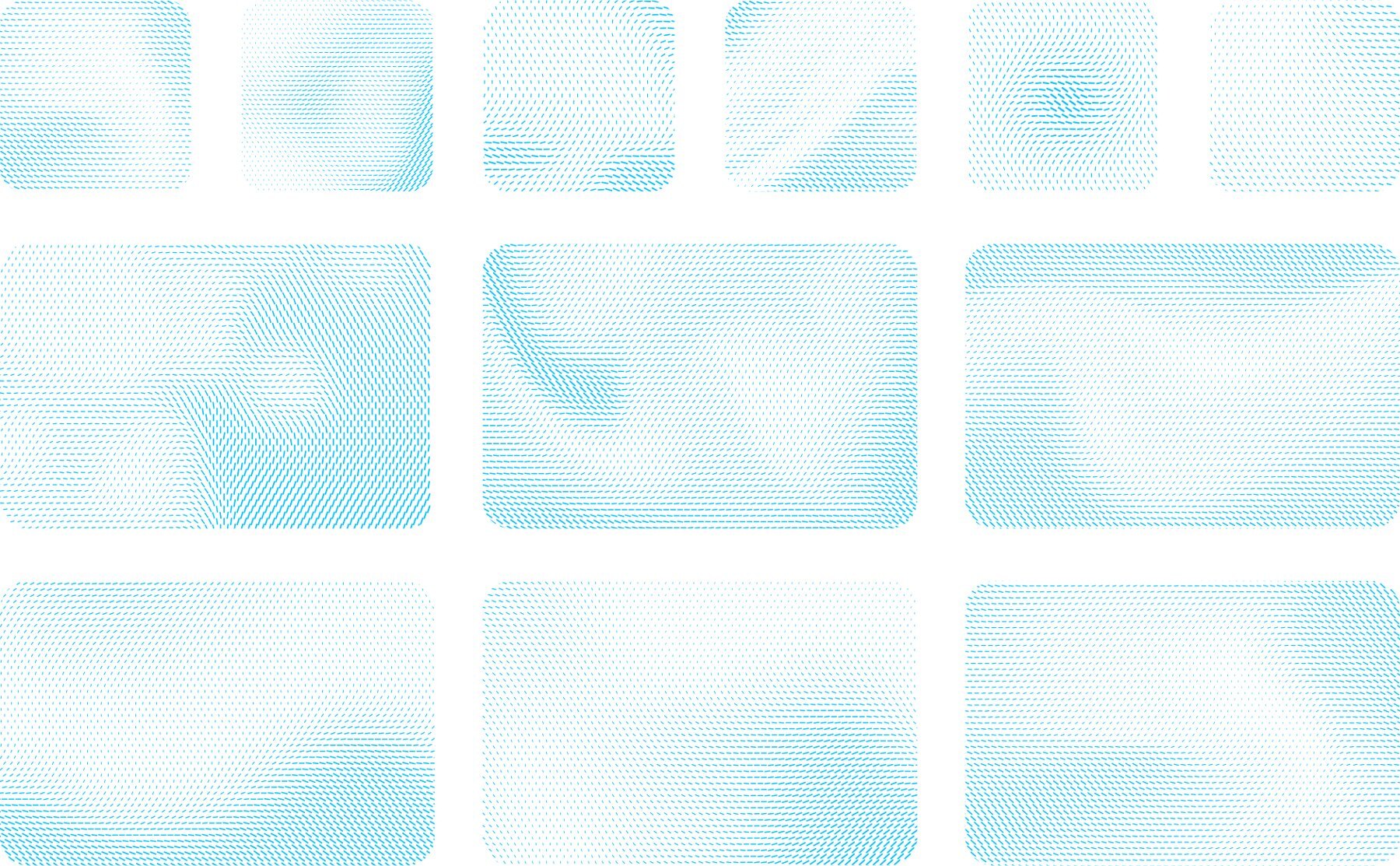
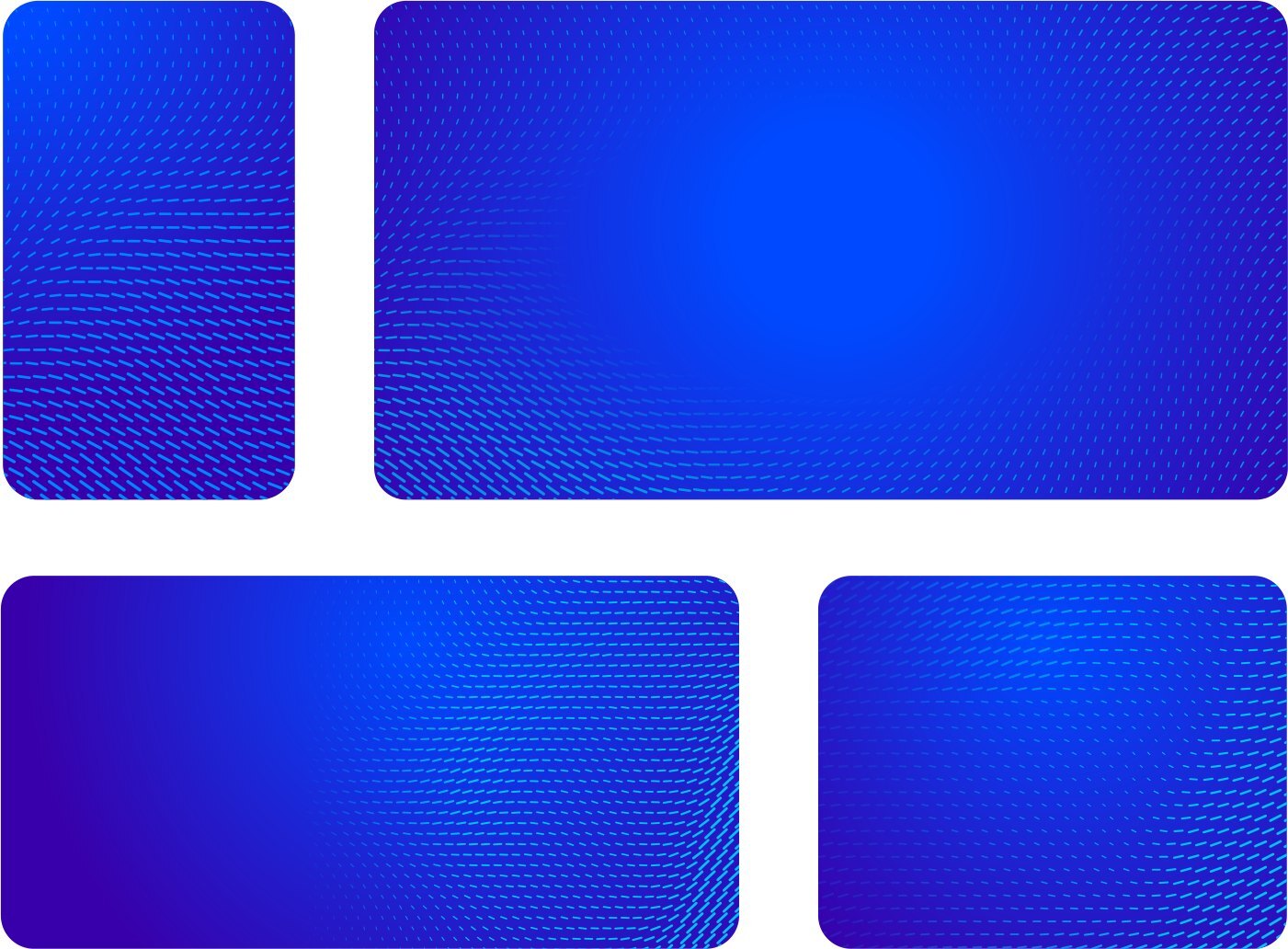
The particle flow graphic language visualizes TeraRecon’s ability to bring clarity to complexity. Streams of particles converge to reveal anatomical forms, symbolizing how imaging data, clinical context, and intelligent workflows come together to create a complete picture. The result is a distinctive expression of insight, precision, and discovery that reinforces TeraRecon’s role in helping care teams see more and act with confidence.
While the anatomical presentation anchors within the medical imaging category, the other primary expression is the abstract particle flow. It creates a sense of momentum and intelligent connection while adding depth and energy to layouts. Particle flows can be scaled, cropped, and layered to enhance compositions, but should always support content rather than compete with it. Many usages are lower contrast and fade to the background for a more subtle presentation within the system. Always use pre-approved and provided assets when implementing in compositions.
From the agency's guidelines, p.16.
Visual identity
Graphic language Abstract particle flow
The particle flow graphic language visualizes TeraRecon’s ability to bring clarity to complexity. Streams of particles converge to reveal anatomical forms, symbolizing how imaging data, clinical context, and intelligent workflows come together to create a complete picture. The result is a distinctive expression of insight, precision, and discovery that reinforces TeraRecon’s role in helping care teams see more and act with confidence.
While the anatomical presentation anchors within the medical imaging category, the other primary expression is the abstract particle flow. It creates a sense of momentum and intelligent connection while adding depth and energy to layouts. Particle flows can be scaled, cropped, and layered to enhance compositions, but should always support content rather than compete with it. Many usages are lower contrast and fade to the background for a more subtle presentation within the system. Always use pre-approved and provided assets when implementing in compositions.
From the agency's guidelines, p.17.
-
SeenSelect an approved field whose directional structure suits its job: recognizable anatomy or abstract movement.
- Seen: Anatomical samples on page 15 use largely parallel diagonal marks to describe recognizable forms. Abstract samples on pages 16-17 bend the local mark direction into flowing paths. The direction changes visibly across a single abstract field.
- Written in the guidelines: The text distinguishes anatomical and abstract expressions, but does not state a single particle angle or construction formula.
- Limits: A universal angle for every field would contradict page 17. The PDF is also insufficient to prove editable layer construction or recover exact opacity, particle dimensions or spacing. Pages 15-17 require supplied, pre-approved assets.
- Ask: Does the field retain the intended anatomy or directional flow, without imposing an invented universal geometry?
Match particle direction to the kind of field. Observed in the agency's examples, p.15, 16, 17.
Visual identity
Graphic language Precision marks
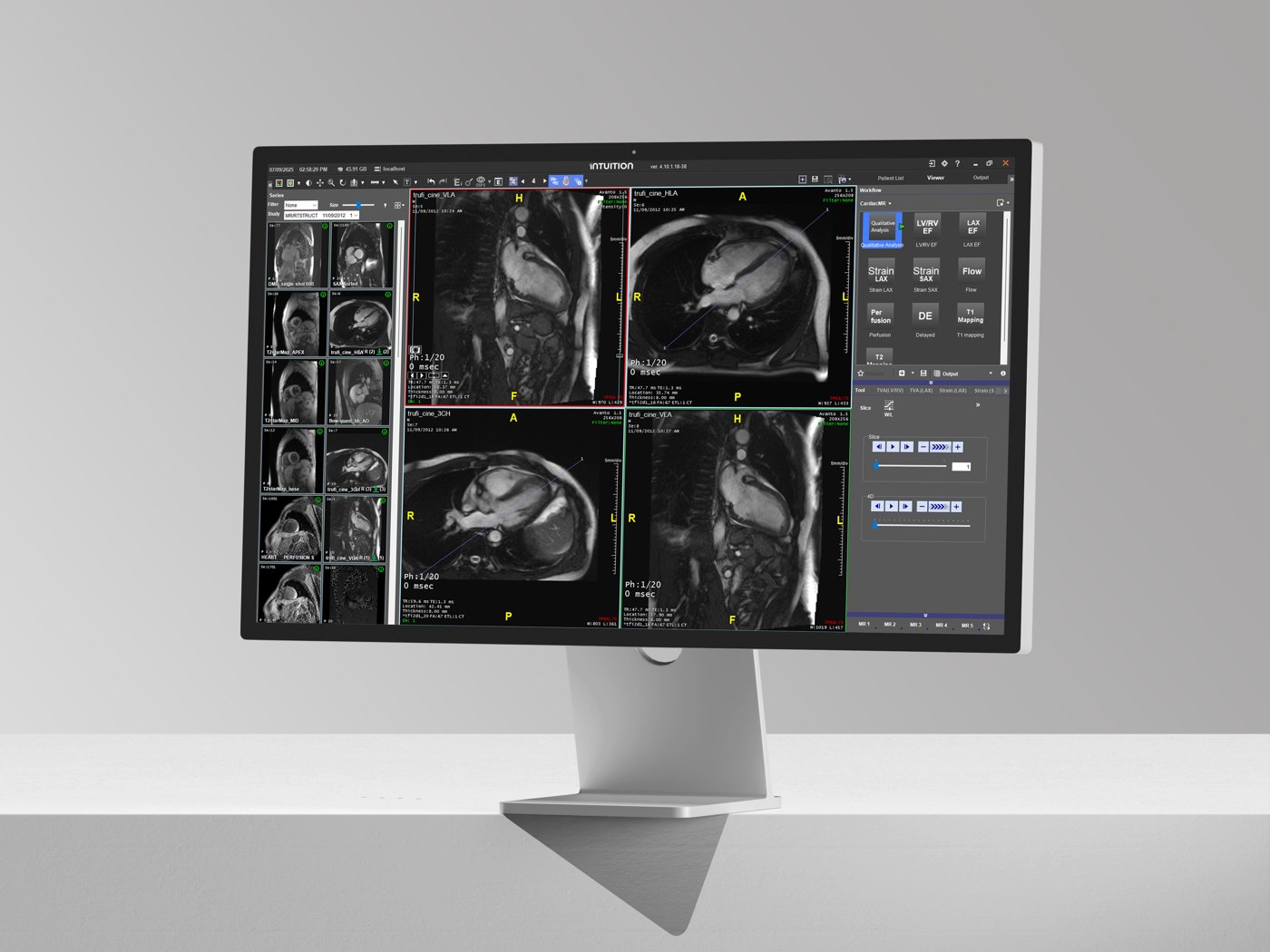
Precision marks are subtle graphic accents inspired by the accuracy and technical sophistication of medical imaging. Used sparingly along the edges of a composition, they add structure, rhythm, and a sense of precision while remaining secondary to the primary content. Precision marks should not be used alongside particle flow graphics within the same composition, ensuring a clean and focused visual expression.
From the agency's guidelines, p.18.
TeraRecon
Intuition
-
MustNever put precision marks and particle flow in the same composition.
As drawn on p.18: ten hairline marks in a mid gray (#8D8E89), evenly spaced from 10% to 90% of the card's width, each about 2.5% of the width tall, standing on an Aqua Gradient edge strip about 5% of the width deep.
Not with precision marks. From the guidelines, p.18.
Renderings
Visual identity
Renderings
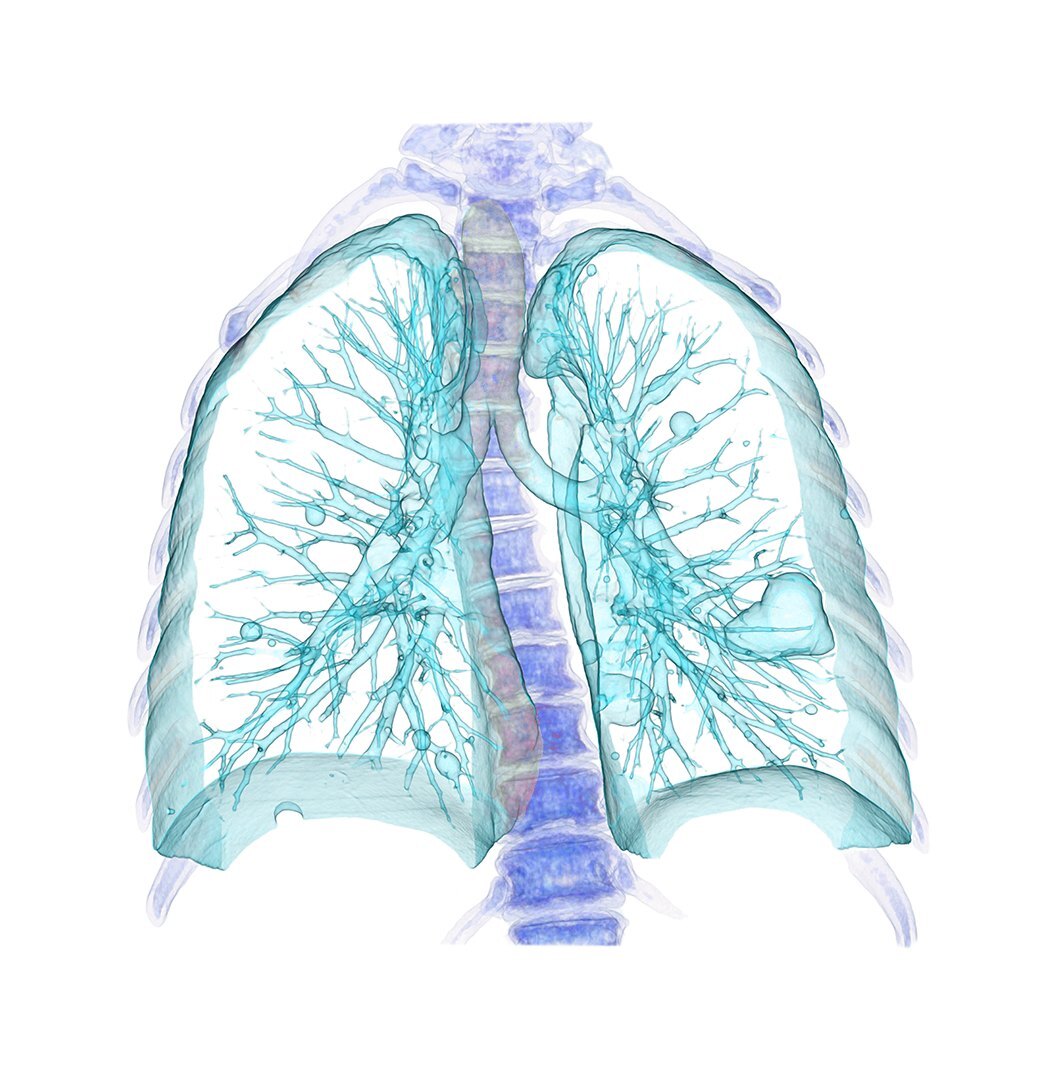
Anatomical 3D renderings showcase the advanced visualization capabilities at the core of the TeraRecon platform. Featured in hero applications and brand moments, they highlight the depth, precision, and clinical sophistication of the software while creating an immediate connection to the imaging field. To maintain a cohesive brand expression in hero applications, renderings should be colorized within the shown spectrum. Original rendering coloring can be used in brand application, but this treatment should be used when featured in a composition or application.
From the agency's guidelines, p.19.
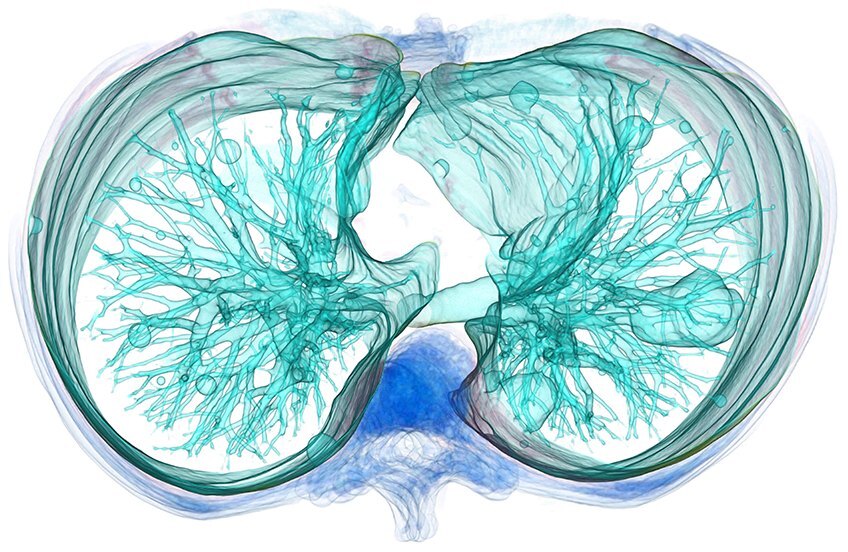
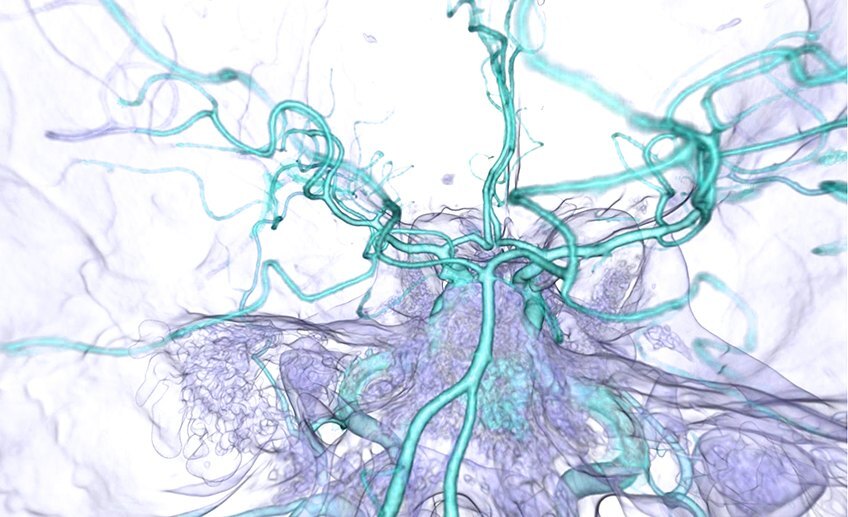
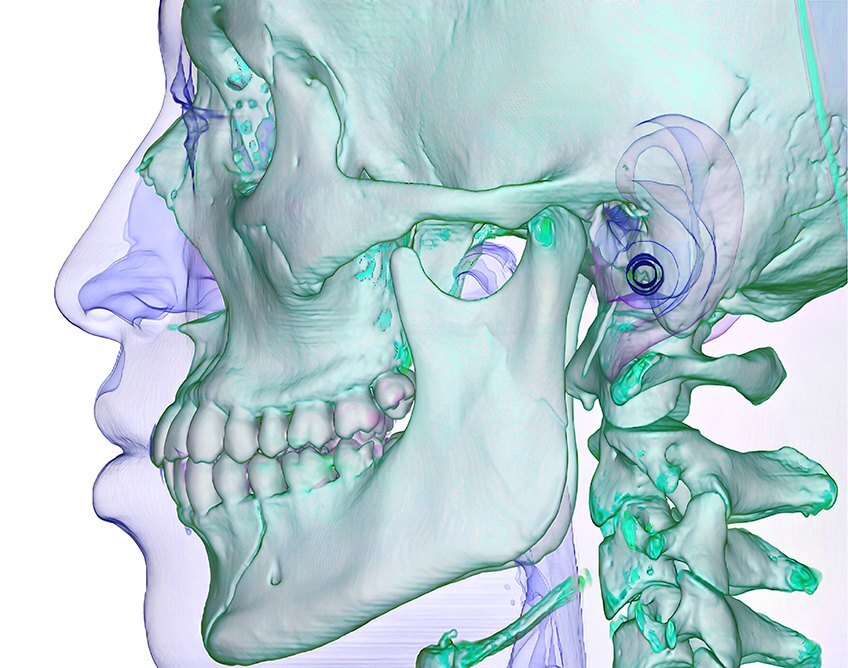
-
SeenGive fine anatomical structure a quiet, high-separation surface and enough area to remain legible.
- Seen: Page 19 presents colorized anatomy on light tiles. Page 24 gives the lung a large light panel. In page 14's blue 'Zero-click' card, the detailed rendering sits in a light inset. Page 20 likewise separates anatomy from busy hero treatments.
- Written in the guidelines: Page 19 prescribes a colorized spectrum for hero renderings. The light supporting surface and separation from surrounding graphics are inferred.
- Limits: Page 14 also contains clinical images on black, and page 19 permits original rendering colors in brand applications. This finding does not authorize recoloring diagnostic output or require every clinical image to have a white background.
- Ask: Can the intended anatomical structure be read clearly at the final display size?
Give detailed anatomy a calm backing. Observed in the agency's examples, p.14, 19, 20, 24.
Visual identity
Renderings Usage by category
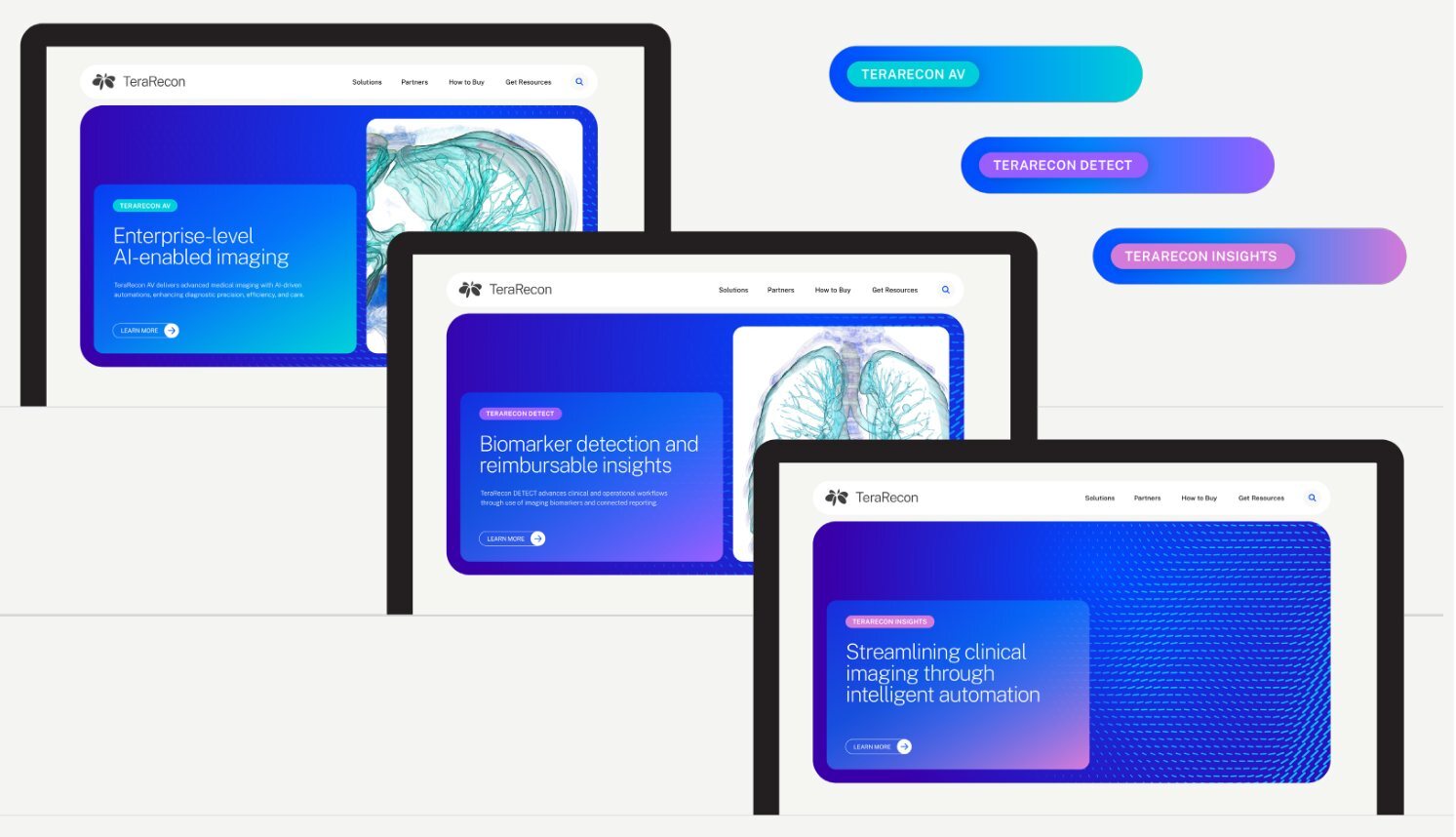
The use of anatomical 3D renderings should align with the role imaging plays within each category. Renderings are used most prominently within TeraRecon Advanced Visualization, where rendering output is core to the offering. Within TeraRecon Imaging Workflows products like TeraRecon Detect, renderings should play a supporting role alongside workflow and connectivity-focused visuals. Within TeraRecon Insights, use should be minimal, with greater emphasis placed on data, intelligence, and analytics. This approach ensures each category remains visually aligned to its purpose while maintaining consistency across the TeraRecon portfolio.
From the agency's guidelines, p.20.
Filled, as on p.20; outlined with a gradient stroke, as on the RSNA booth.
-
MustFeature 3D renderings in Advanced Visualization, use them in a supporting role in Imaging Workflows, and keep them minimal in Insights.
In compositions, colorize renderings within the spectrum shown on p.19. The agency's examples put renderings on White rounded tiles, also inside a gradient card.
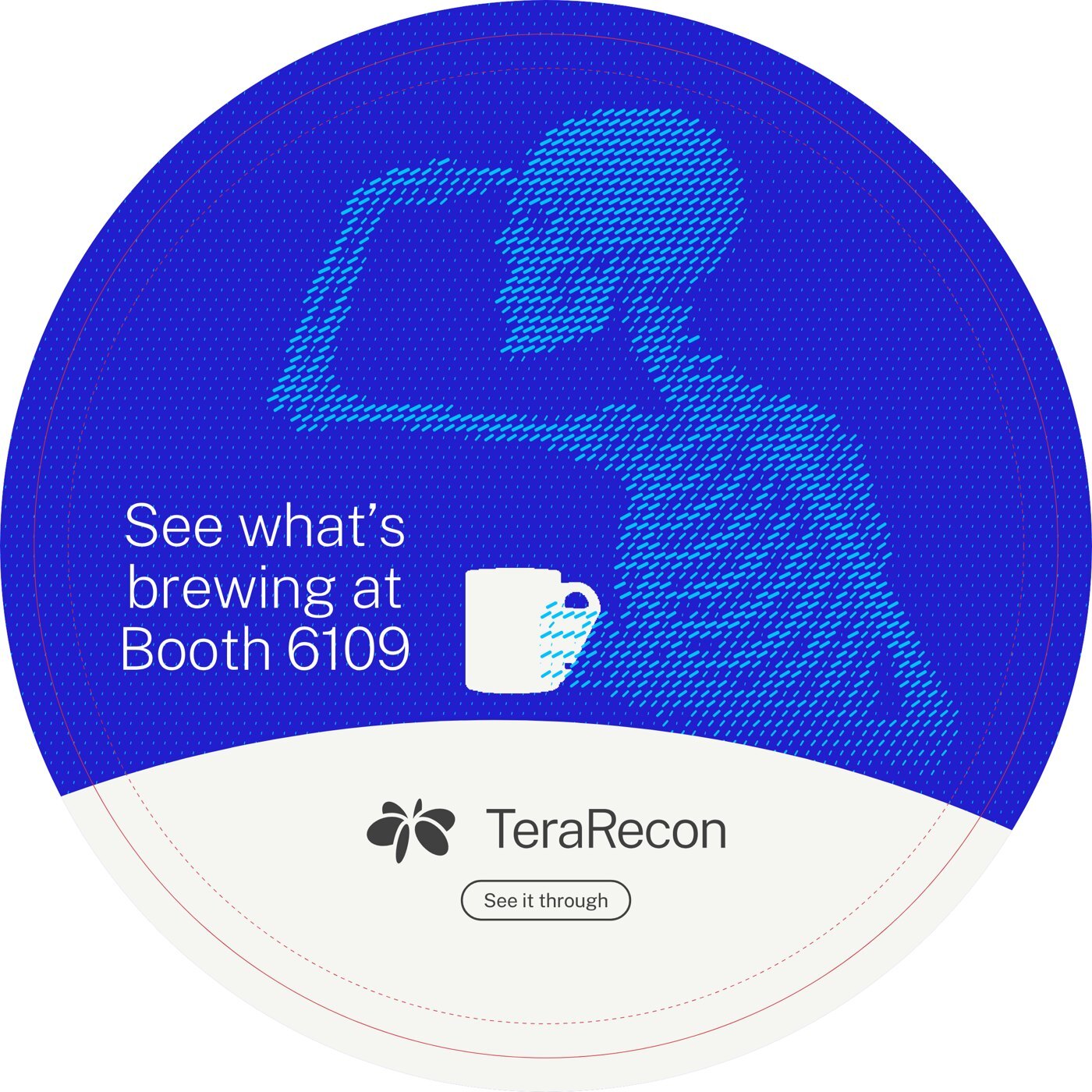
In our work: Table decal, lookout v4 proof (one design for all 15 tables) Renderings lead in Advanced Visualization. From the guidelines, p.19-20.
Photography
Visual identity
Photography direction Product UI
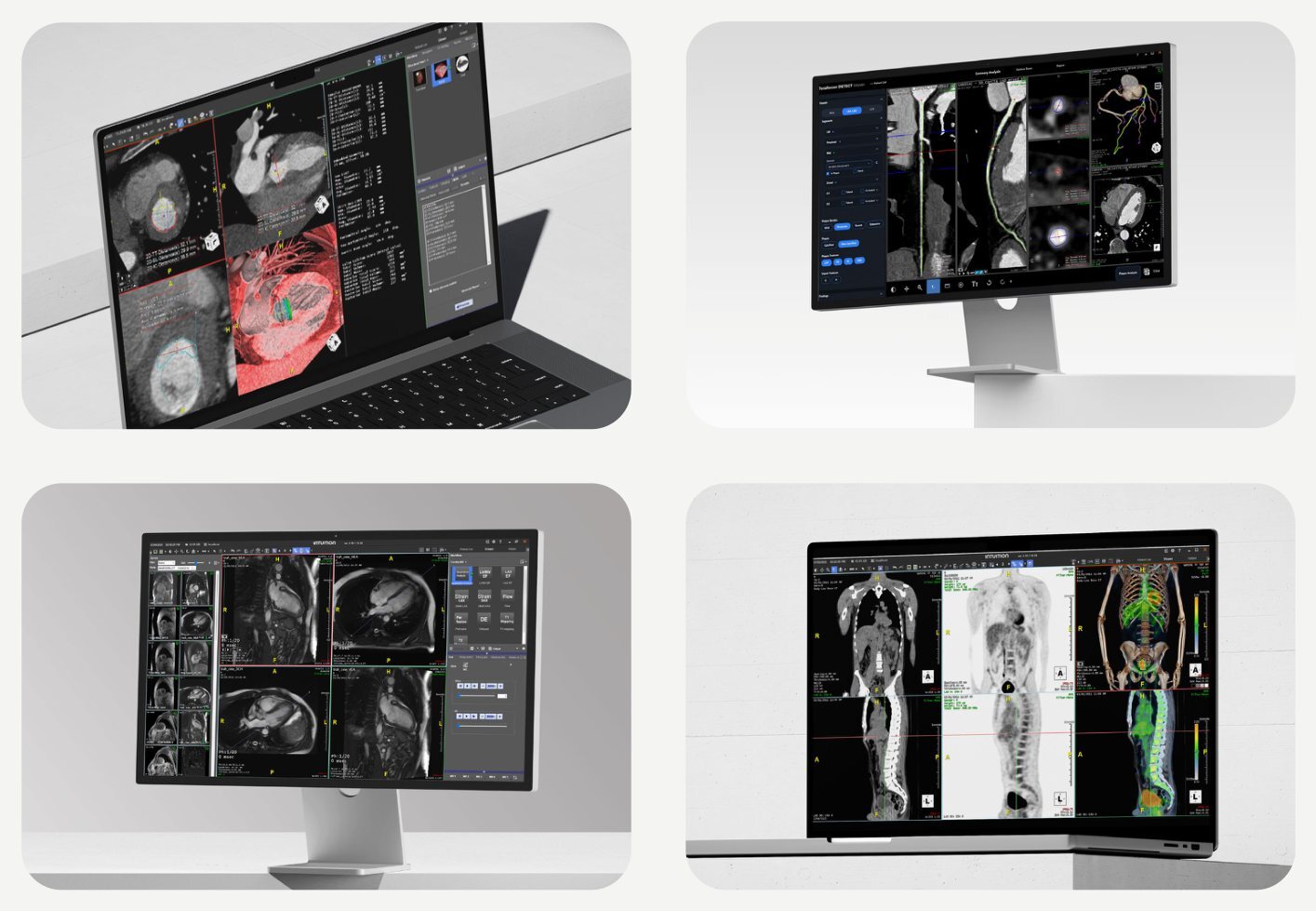
Product UI should be shown within real-world clean environments on devices to reinforce clarity, credibility, and practical value. This approach introduces depth and consistency across applications, connecting digital experiences to the physical settings where decisions are made and outcomes are realized.
From the agency's guidelines, p.21.
-
MustShow product UI on real devices in clean, real-world settings, never as a floating screenshot.
In our work: the booth, all the way round.
Product UI on real devices. From the guidelines, p.21.
Brand examples
Showcases real-world applications of the brand to demonstrate how the system comes to life across different contexts and formats. Guidelines p.22.
Display
Display
Display
Website
Social & presentation
Product Brochure
App Icon
Environmental
Apparel
Digital and print
Two manifestations. On screen, every rule in this guide applies as written. In print, the inks set the limits: Cobalt prints duller, and Deeper Cobalt has no ink.
Websites
The guidelines set type and layout for print and slides. These rules add the sizes, spacing and color uses for web pages, decided in the terarecon.com restage.
-
MustOn web pages, a dark band or panel is flat Deeper Cobalt (#3800AB), the dark end of the Cobalt Gradient. White text on it measures 12.0:1.
Elsewhere Deeper Cobalt is a gradient stop only (see the gradient rules); the website is the one place it is also a flat ground. Deep Cobalt (#221ECD) stays the accent and text blue.
Deeper Cobalt is the dark ground on web pages. Decided 13 October 2026; Steven Brown, website restage decision D1; applied on the staged website from iteration 2.
-
MustOn web pages, a pill field with Deeper Cobalt (#3800AB) pills never sits on a White or Bone ground; where a field sits on a light panel or fades out of a Cobalt panel, its ground is Cyan (#00C2FF) with the pills in Deeper Cobalt.
Steven, on the Imaging Workflows and AI Framework heroes: "Deeper cobalt pills mixed with a white background isn't really a great combination... It's just very stark... cyan might contrast well with deeper cobalt." The two heroes had blue and violet pills on Bone, which he read as White; both now run Deeper Cobalt on Cyan with the same field geometry. Deeper Cobalt measures 5.8:1 on Cyan.
Deeper Cobalt pills sit on Cyan, never White. Decided 14 October 2026; Steven Brown, website restage voice pins 20261014-204848-3ocj (Imaging Workflows hero) and 20261014-204928-wmuj (AI Framework hero); applied on the staged website 15 October 2026.
-
MustText on a Cyan or Aqua ground, chip or button is Charcoal, never White: Charcoal measures 5.0:1 on Cyan and 5.4:1 on Aqua, White 2.1:1 and 1.9:1.
Charcoal text on Cyan and Aqua. Decided 13 October 2026; Steven Brown, website restage decision D5; applied on the staged website from iteration 2.
-
MustA solid product chip carries Charcoal text on Aqua, White text on Violet and Charcoal text on Orchid, set in the chip role (14/12/12 px SemiBold).
Violet and Orchid chips measure 3.9:1 (White on Violet) and 3.7:1 (Charcoal on Orchid): below the 4.5:1 that WCAG AA asks of small text, above the 3:1 it asks of large or bold text. Accepted for chips, which carry a product name and nothing else. Measured in the website restage, iteration 3.
Text on product chips. Decided 13 October 2026; Steven Brown, website restage decision B (category chips); applied on the staged website from iteration 3.
-
MustOn the web, each clinical area carries one tertiary color, always the same one: Cardiology Red (#D6333D), Body imaging/oncology Yellow 2 (#AE7F2A), Pulmonology Teal 2 (#316E6B), Neurology Orange 2 (#BB5A26), Vascular Red 2 (#851E26), MSK Yellow Green 2 (#769424). Aqua, Violet and Orchid stay reserved for the product lines.
Evan suggested "using different theme colors for the highlight by topic/solution area for body module", and Steven decided "We'll go with tertiary colors for body modules." The color marks the area and never carries text: a chip outline around Charcoal text, the selected tab's underline, the hotspot dot on the body figure, a card's left edge and its selected outline. Each color measures at least 3:1 on White and on Bone, the contrast WCAG asks of non-text marks (3.5:1 to 9.5:1 on White, 3.2:1 to 8.7:1 on Bone); the light Orange, Yellow, Yellow Green and Green fall below it, so their "2" shades are used. This is the one use of the tertiary colors outside charts. Applied in the Solution Category Explorer on the TeraRecon AV page; the map lives in that module's
module.css.Clinical areas take tertiary colors by a fixed map. Decided 16 October 2026; Steven Brown, on Evan's note about the body module of the terarecon.com restage.
-
MustA product card on a category gradient keeps its copy on Cobalt: the gradient runs at 315 degrees with the category color at 0 %, #0083FF at 10 % and Cobalt from 26 %, so the category color lights the bottom-right corner, and the copy column is held to 76 % of the card's width.
With the gradient's own stops (category 0 %, #0083FF 64.8 %, Cobalt 100 %) the lower half of the card's White copy sits over the category color (1.9:1 on Aqua). White on Cobalt is 6.1:1. Chips, grounds and every other gradient keep the gradient's own stops.
Product card copy sits on the Cobalt half. Decided 13 October 2026; Steven Brown, website restage decision D8 and B (panel contrast); applied on the staged website from iteration 4.
-
MustOn web pages, card titles are set like every heading: Public Sans ExtraLight (200), tracking -0.02em. SemiBold stays on labels, chips and buttons.
Card titles are headlines. Decided 13 October 2026; Steven Brown, website restage decision D4; applied on the staged website from iteration 2.
-
MustWeb pages set type on this scale, with breakpoints at 992 and 768 px. Headings are Public Sans ExtraLight (200) at -0.02em tracking; text is Regular (400) at -0.01em; labels, buttons and chips are SemiBold (600).
Web type scale, in px Role 992 px and wider 768 to 991 px Below 768 px Weight Display 88 72 48 ExtraLight 200 Heading 1 64 56 40 ExtraLight 200 Heading 2 48 40 32 ExtraLight 200 Heading 3 32 28 24 ExtraLight 200 Heading 4 24 22 20 ExtraLight 200 Lead 22 20 18 Regular 400 Body 18 16 16 Regular 400 Small 16 14 14 Regular 400 Label and button 14 12 12 SemiBold 600 Chip 14 12 12 SemiBold 600 Navigation 16 16 16 Regular 400 The web type scale. Decided 13 October 2026; Steven Brown, website restage decision D7; applied on the staged website from iteration 2.
-
MustWeb page content sits in panels with a 24 px corner radius (16 px for a card inside a panel), at most 1568 px wide, with page gutters and gaps between panels of 40, 24 and 16 px (992 px and wider, 768 to 991 px, below 768 px).
The agency names rounded forms and even, narrow gutters (p.6, p.14) but gives no values; these come from this guide page's own panels.
Panels, corners and gutters on web pages. Decided 13 October 2026; Steven Brown, website restage decision D8; applied on the staged website from iteration 4.
-
MustWeb pages space everything in steps of 4, 8, 12, 16, 24, 32, 48 and 64 px. Text is left-aligned; only the devices listed below are centred.
- Centred devices: the statistic cards (value, label and step), the product explorer (its heading, tab row and product picture read as one), heroes (aligned by their own settings) and form buttons.
Web spacing, in px Space 992 px and wider 768 to 991 px Below 768 px Panel padding, all four sides 48 32 24 Between blocks in a panel 24 24 16 After a heading group 48 32 32 Between lines of text (paragraphs, list items) 16 16 16 Between columns 32 24 16 Body text measure 68 characters 68 characters 68 characters Spacing on web pages. Decided 13 October 2026; Steven Brown, website restage decision D9; applied on the staged website from iteration 7.
| Pills on ground | Inks | On screen | Ink, approximated |
|---|---|---|---|
| Cyan on Deep Cobalt | 2995 C on 293 C | ||
| Cyan on Cobalt | 2995 C on 2935 C | ||
| Aqua on Cobalt | 3115 C on 2935 C | ||
| Deep Cobalt on Cyan | 293 C on 2995 C | ||
| Cyan on White | 2995 C on paper | ||
| Cyan on Bone | 2995 C on 25% 2330 C |
-
MustIn print, use the PANTONEs from the palette and expect them to be duller than the screen; use CMYK only as a fallback, knowing it can't reach Cobalt.
Cobalt sits 15.6 ΔE (a measure of visible color difference) from its ink, and Deeper Cobalt has no ink.
Screen is master; print is the nearest ink. Decided 8 October 2026.
-
MustPrint particle flow as two flat spot inks, one for the pills and one for the ground, from the pairings below.
Print pairings Pills on ground Inks Contrast, screen / ink (ΔE) Cyan on Deep Cobalt 2995 C on 293 C 54.3 / 39.6, the strongest on screen Cyan on Cobalt 2995 C on 2935 C 38.9 / 31.4 Aqua on Cobalt 3115 C on 2935 C 47.6 / 41.5, the strongest in ink Deep Cobalt on Cyan 293 C on 2995 C 54.3 / 39.6 Cyan on White 2995 C on paper 28.6 / about 31.6 Cyan on Bone 2995 C on 25% 2330 C not measured A print duotone is two spot inks. Decided 8 October 2026.
-
MustRun a print gradient only between two inks the job carries, at most PANTONE 2935 C → 293 C, with noise added against banding; when the printer can't hold two spots, use a flat spot ground.
Print gradients run between two inks. Decided 8 October 2026.
-
MustMake print fades the same way as on screen: the ground ink as a tint over the pills, running to zero; get a proof.
Fades in print. Decided 8 October 2026.
-
MustUse the spot pairings for offset and wide-format spot printing; prefer flat grounds for CMYK-only jobs; proof fabric (dye-sublimation banners and walls, called SEG, and apparel), which prints flatter than the swatch book.
Extended-gamut printing is the printer's call.
In our work: the booth, all the way round.
By process. Decided 8 October 2026.
-
MayFor hero print pieces that should glow like the screen, a neon Cyan (PANTONE 801 C) on 2935 C may be proofed; it is not adopted.
Open question: a neon Cyan. Decided 8 October 2026.
Brief a printer
Paste this into the email that sends the files. It is written for the printer.
TeraRecon print specification
Inks. Print TeraRecon colors as PANTONE spot inks, Solid Coated: Cobalt PANTONE 2935 C, Deep Cobalt PANTONE 293 C, Cyan PANTONE 2995 C, Charcoal PANTONE 425 C. Bone is a 25% tint of PANTONE 2330 C. White is unprinted stock. Product colors appear only where the piece names a product: Aqua PANTONE 3115 C, Violet PANTONE 2101 C, Orchid PANTONE 238 C.
Process only. If the job must run in CMYK, tell us before printing. Use the CMYK values in the supplied swatches (Cobalt is C100 M63 Y0 K2); Cobalt prints noticeably duller in process.
Gradients. Run gradients between two spot inks the job already carries, such as 2935 C to 293 C, with noise to prevent banding. Do not rebuild them in process tints.
Pattern art. The pill pattern prints as two spot inks, one for the pills and one for the ground. Fades are tints of the ground ink over the pills. Keep the inks as supplied; do not convert them to process.
Proofs. A hard proof of every spot color before the run. For fabric (dye-sublimation, SEG, apparel), a printed sample; we expect fabric to print flatter than the swatch book.
Files. Logos are supplied as vector art (SVG; PDF or EPS on request). Do not redraw, recolor or substitute the logo or the pattern art.
Questions: Steven Brown, sbrown@concertai.com.
The research behind the print rules
How other brands handle the split between screen and print (researched 8 October 2026): one color name with screen and print values is the norm (IBM, GitLab); a separate palette where a color fails a medium (Newcastle University, UC Santa Barbara); special inks where the brightness is the brand (Lyft's neon pink; Monzo's fluorescent coral). No official guide found sets a print rule for brand gradients; GitLab keeps every gradient stop inside its palette.
Our work
The identity in use, newest first. Where a piece differs from a rule here, the rule wins.
RSNA 2026 booth 6109 Print files filed 8 October 2026; previz render 5 October 2026
Drag across the picture, or use the slider, to walk around the booth.
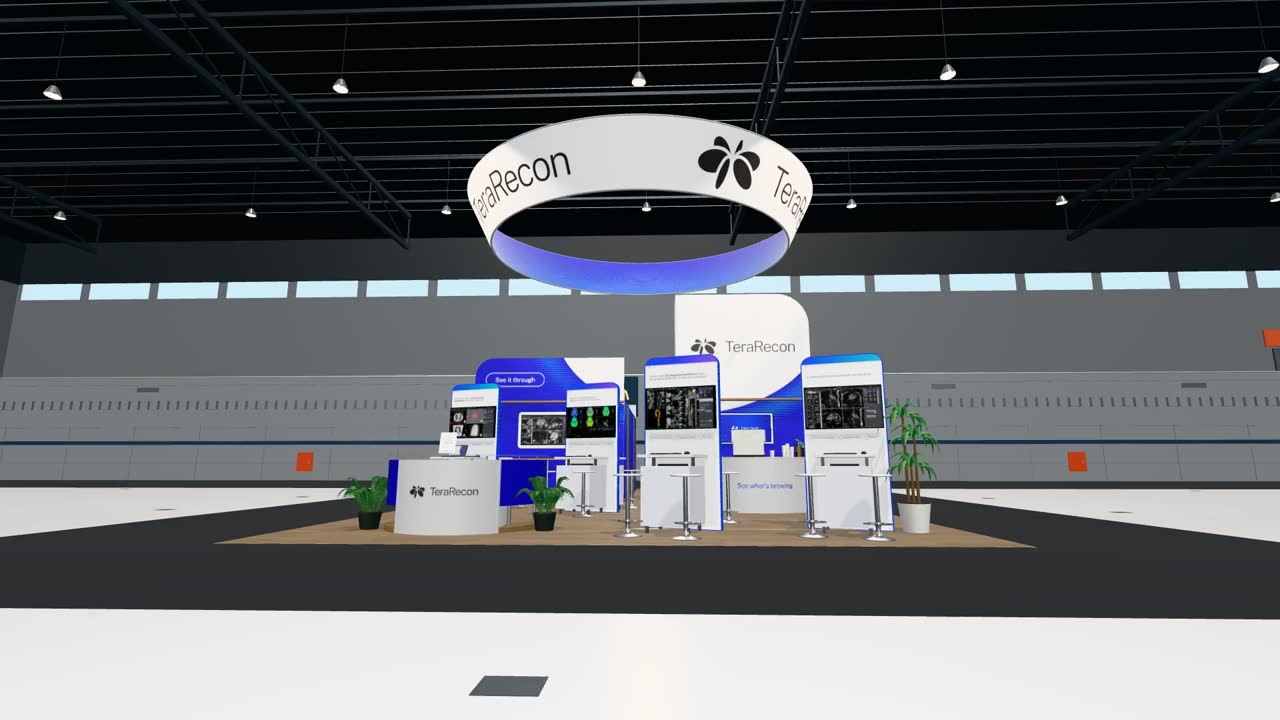 Drag to look around the booth
Employee brand kit and PowerPoint template v1 8 October 2026
The Teams, LinkedIn and email art is under Files. The template's first version:
RSNA 2026 table decal and sanitizer lockup Lockup delivered 7 October 2026; decal proof 8 October 2026, in review, shown as the newest design
Homepage hero field 16 September 2026
Contact & downloads
Provides access to brand resources, assets, and key contacts to support consistent and accurate implementation of the brand. Guidelines p.32.
Questions?
We’re here to help.
For any needs relating to this brand guidelines document or to request further assets, reach out.
Steven Brown
Brand guide owner, brand questions
sbrown@concertai.com
Send what you're making, where it will appear and a draft. Steven decides exceptions to the rules.
The agency's contact, as printed on p.33:
Brandon Slavinski
Senior Creative Director
bslavinski@concertai.com
Looking for assets?
Assets include:
- Logos
- Fonts
- Color palette
- Key graphics
From the agency's guidelines, p.33.
See it through
Open questions and changes
- A neon Cyan for print (PANTONE 801 C on 2935 C), for hero pieces that should glow like the screen: may be proofed, not adopted. Rule
- Deep Cobalt pills on a Cyan ground on screen: approved for print and used in the booth's heart card; not yet used digitally.
- The PowerPoint template's particle-flow panels were made in our own pill-field tool (Duotone Studio) and are not yet approved assets (p.15-17).
- Particle flow and renderings to download. Not on this page yet. Ask Steven Brown for the agency's files; don't build your own (p.15-17).
- Logo clear space and minimum size. The agency's guidelines give neither. Until they're decided, ask Steven Brown before setting the logo very small or tight to an edge.
- LinkedIn post images. There is no post template yet; the agency's p.27 shows one. Ask Steven Brown.
- Logo files for printers as PDF or EPS. The page offers SVG; PDF and EPS are on request.
- The wordmark on its own. The agency shows it (p.8); we have no use for it yet. Recommendation: don't use it until a case comes up that the lockup or the Orbit can't serve.
- The tagline with its pill under the lockup (the sanitizer label): fine for now, but not yet a standard lockup of the brand. Decide before it spreads to more pieces.
- The confidentiality line on p.3. The agency asks that the guidelines be kept confidential; the plan is a public, unlisted page. The page footer no longer says "Confidential and Proprietary" (decided 8 October 2026); p.3's sentence still stands as the agency wrote it.
Changesrelease 2026.10.26-2, effective 8 October 2026
- 26 Oct 2026. The brand kit is shorter for employees (Steven: too much of a scroll and too much detail for sales). The logo download sits in Essentials only; the Color card shows the six main colors with HEX values; the Type card drops tracking and leading figures; the Teams backgrounds show as a grid of small previews, the banners without captions; the colophon is one line. This guide is unchanged.
- 26 Oct 2026. New: use the Charcoal or the White logo; the Cobalt and Bone logos are for very special and rare cases, so ask Steven Brown first (Steven). The brand kit's Logos panel shows the lockup once and its Download gives the Charcoal and White lockups only, without the Orbit mark and the wordmark. This guide keeps every logo file.
- 22 Oct 2026. The brand kit has one Download button per panel (Steven): the logos as one zip of all 12 SVGs with a README, the Teams backgrounds, LinkedIn banners and email banners as one zip each, and the PowerPoint template with the Public Sans font files as one zip. The Color card has no download, the Type card offers Public Sans, and the Teams panel says "If it looks backwards, you're doing it right." in place of the mirrored picture. The brand guide keeps every individual download.
- 22 Oct 2026. New: every deck uses the TeraRecon Public Sans template with "Embed fonts in the file" on (Steven). The PowerPoint rule and the downloads follow. The brand kit is simpler: Essentials carries Logo, Color and Type; each panel has a Download button, the Color card offers the RGB swatches, and the explanatory lines are gone.
- 19 Oct 2026. New: the brand kit (kit.html), a separate page for employees with Essentials, the logos, Teams backgrounds, LinkedIn and email banners, the PowerPoint templates, Public Sans and who to ask, built from the same source as this guide (Steven: so as not to overwhelm employees). Start here and Files point to it. Essentials now says what sentence case means.
- 16 Oct 2026. New: clinical areas on the web take tertiary colors by a fixed map (Steven, on Evan's note about the body module); product-category colors stay with the product lines. The tertiary colors rule notes this one use outside charts.
- 14 Oct 2026. New: Deeper Cobalt pills sit on a Cyan ground on web pages, never on White or Bone (Steven, voice pins on the Imaging Workflows and AI Framework heroes). Both heroes now run Deeper Cobalt on Cyan.
- 13 Oct 2026. New: rules for websites under Digital and print (Steven): Deeper Cobalt as the dark ground, the footer in Charcoal with a Deeper Cobalt utility bar, Charcoal text on Cyan and Aqua, the text on product chips, product card copy on the Cobalt half, card titles as headlines, the web type scale, panels, corners and gutters, and spacing. Decided for the terarecon.com restage, where they have applied since iterations 2 to 7.
- 13 Oct 2026. Open questions closed: text color on Violet and Orchid chips (White on Violet, Charcoal on Orchid, accepted at chip size), the web type scale (D7), corner radius and gutters for screens (D8) and the spacing scale for screens (D9), each now a rule under Websites.
- 11 Oct 2026. Open questions added: the web type scale (D7), corner radius and gutters for screens (D8) and the spacing scale for screens (D9), with the values the staged website runs on provisionally. Waiting on Steven; no rule changed.
- 10 Oct 2026. New: category colors only where that service line is the subject (Steven). Aqua, Violet and Orchid, their tints and gradients, appear only in a piece about Advanced Visualization, Imaging Workflows or Insights respectively; everywhere else the palette is Cobalt, Deep Cobalt, Cyan, Charcoal, Bone and White. Decided in the website restage iteration review; clarifies p.10.
- 10 Oct 2026. New: no drop shadows (Steven). Depth comes from the ground: a White card on Bone, a Bone panel on White, a hairline in Charcoal at low opacity, or a tone step within the palette. Shadows, glows and blurs are not used on cards, buttons, images, chips or type. Decided in the website restage iteration review.
- 10 Oct 2026. Open question added: which text color goes on Violet and Orchid chips, since neither Charcoal nor White reaches 4.5:1 on them. Waiting on Steven; no rule changed.
- 9 Oct 2026. New: the White border on a framed piece is 4% of the artboard's short side, the same on all four sides, and at least 1/8 in in print (Steven). It is measured from the agency's framed examples on p.23, 24, 25 and 28, which run from 3.4% to 4.4%.
- 9 Oct 2026. New: "clinical intelligence", never "intelligence" alone; the headline reads "Where imaging, clinical intelligence, and action align" (Steven). The agency's p.13 sample keeps its original words, and "imaging intelligence" is unchanged for now.
- 9 Oct 2026. The guide's source, build and checks now live in a git repository (terarecon-brand-guide), so every change is a commit; the page is still built to this Drive folder. A passcode-protected preview is on Cloudflare Pages.
- 8 Oct 2026. Rules now sit beside the content they govern, each marked Must, Should, May or Seen, with its reasons and source one click away; the separate Decisions lists and details sections are gone. New: a small logo and a big message (Steven), the Orbit on its own only in named cases (Steven), no product logos (Steven). "The short version" is now Essentials. The footer drops "Confidential and Proprietary" (Steven: the guide will be a public, unlisted page), and the closing page signs off with the tagline instead of "Thank you". Printer brief: one block of printer-facing text with a Copy button.
- 8 Oct 2026. Each chapter's decisions are a plain list under "Decisions"; the agency's own rules sit with their text. New: no one-word last lines (Steven), how the agency sets headlines, the One Rhythm pill geometry, and the twelve conventions from the agency visual review (agency-unspoken-rules-v1), marked as observed, not approved. Usability: the printer brief notes coated inks and PDF or EPS on request; tracking in em; product gradients as slide grounds; gradient shapes named; brand-folder locations labeled as not downloadable; open questions for clear space, LinkedIn posts and particle-flow files. Corrections: capitals also appear in buttons (p.26); the Orbit alone may be visual shorthand (p.7); the strongest print pairing in ink is Aqua on Cobalt; Bone is a 25% tint of 2330 C in tokens.json; the decal proof is labeled as a proof.
- 8 Oct 2026. After a review against the agency's guidelines: their layouts followed more closely (contents with numbered ovals, the primary chip grid, the color wheel and tertiary rows, full-width product tags, the type page side by side, the contact page in two columns, one brand example per page); headings on the agency's pages set to the agency's proportions; p.16-17 text in full; every logo file as SVG; a printer brief and PowerPoint how-to; logo grounds named in the short version; Brandon Slavinski shown as the agency's contact. Rules: White is the only color never used for pills (Aqua on Cobalt is an approved print pairing); the tagline may run loose on apparel (p.31); a neon Cyan moved to open questions.
- 8 Oct 2026. The short version is now a one-screen quickstart (logo, swatches, type, gradient, particle flow, tagline, print, downloads). Chapter openers keep their words on clear ground with a ground-colored fading layer over the pills. Much more space between sections and subsections. Brand questions go to Steven Brown, sbrown@concertai.com.
- 8 Oct 2026. Redesigned after Steven's review: display-size chapter titles and smaller body type, narrower lines, Cobalt chapter openers, a contents rail that marks where you are, details behind disclosures, the agency's pages rebuilt in HTML (logo sheets, chip charts, gradients, type specimen and styling, precision marks, renderings), the logo on every allowed ground, every color value copies on click, swatch downloads, the booth as a drag-to-turn orbit, the newest table decal, and a print version with every detail open.
- 8 Oct 2026. Rebuilt to the HTML brand guide specification: generated from structured source, permanent rule IDs with levels and origins, an asset index with formats, sizes and checksums, a start page, keyboard and screen-reader structure, print styles, fonts served from the guide's own folder.
- 8 Oct 2026. The agency's guidelines brought in complete, page by page, their text verbatim. Examples are now delivered work only, newest first; generated pairing pictures removed. Our text is in American English.
- 8 Oct 2026. Made the source of truth for the brand. Logo rules, palette with print values, gradients, the PowerPoint font rule, particle-flow rules, digital and print. Grew from the employee brand kit (v1, 7 Oct).
- 8 Oct 2026. Particle flow: one flat pill color on one ground; digital grounds frequently the Cobalt Gradient; fades are a ground-color solid over the pills; never White pills. Print pairings approved. PowerPoint: Public Sans template, fonts embedded.
- 7 Oct 2026. Logo color rules approved. Employee brand kit v1: Teams, LinkedIn and email-signature art.
- 23 Sep 2026. The agency's final guidelines, R1 V4, delivered; redline of their errors sent.